14
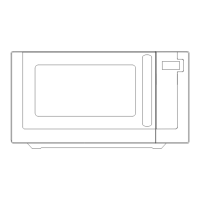
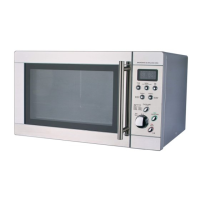
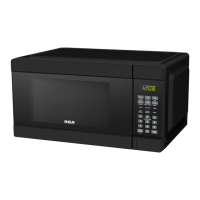
Learn about your microwave oven.
CAUTION
To avoid risk of personal injury or property damage, do not operaon the microwave oven
empty.
To avoid risk of personal injury or property damage, do not use stoneware, aluminum foil,
metal utensils, or mental trimmed utensils in the microwave oven.
Seng the Clock
Example: Suppose you want to set the clock for 5:00 pm.
1. In standby mode, touch
Clock/Timer pad once, “ENTER TIME OF DAY” is displayed.
2. Press number pad enter me.
3. Press
Clock/Timer pad to confirm. The display shows “SELECT 1--AM, 2--PM”.
4. Press number pad
“2”. “PM 5:00” is displayed.
5. Press
Clock/Timer to confirm.
Seng Microwave cooking program
For microwave cooking, cooking power and me should be set. The longest cooking me you can set is
99 minutes, 99 seconds.
Press
Power Level pad once and then press number pads to choose cooking power level.
Use number pad choose cooking power level
Number pad Percent(Name) Number pad Percent(Name)
1, 0 100% (High) 4 40% (Medium Low)
9 90% (Sauté) 3 30% (Defrost)
8 80% (Reheat) 2 20% (Low)
When the oven first plugged in, the display will show “AM 12:00”.
During cooking seng process, without any operaon within one minute, the oven will
return to waing mode.
During cooking, if press Stop/Cancel pad once or open the door, the program will be
paused, then press Start/Add 30Sec pad to resume, but if press Stop/Cancel pad twice,
the program will be canceled.
Aer ending cooking, “END” will display and the system will beeps to remind user every
one minute unl user press Stop/Cancel pad or open the door.
:
This is a 12 hour clock. During cooking process or cooking is paused, you can press
Clock/Timer pad to check the current clock.


 To Next Page