EasyManua.ls Logo

RCA RP3740 - User Manual

RCA RP3740
20 pages
Print Icon
To Next Page IconTo Next Page
Loading...
FCC Information
FCC Information
This device complies with Part 15 of the FCC
Rules. Operation is subject to the following two
conditions: (1) This device may not cause
harmful interference, and (2) this device must
accept any interference received, including
interference that may cause undesired
operation.
In accordance with FCC requirements, changes
or modifications not expressly approved by
Thomson Inc. could void the user’s authority to
operate this product.
This device generates and uses radio frequency
(RF) energy, and if not installed and used
properly, this equipment may cause
interference to radio and television reception.
If this equipment does cause interference to
radio or television reception (which you can
determine by unplugging the unit), try to
correct the interference by one or more of the
following measures:
• Re-orient the receiving antenna (that is, the
antenna for the radio or television that is
“receiving” the interference).
• Move the unit away from the equipment that
is receiving interference.
• Plug the unit into a different wall outlet so
that the unit and the equipment receiving
interference are on different branch circuits.
If these measures do not eliminate the
interference, please consult your dealer or an
experienced radio/television technician for
additional suggestions. Also, the Federal
Communications Commission has prepared a
helpful booklet, “How To Identify and Resolve
Radio TV Interference Problems.” This booklet is
available from the U.S. Government Printing
Office, Washington, DC 20402. Please specify
stock number 004-000-00345-4 when ordering
copies.
Technical Specification
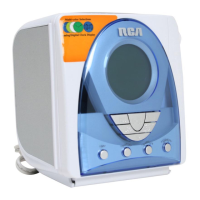
Product: Clock Radio
Brand: RCA
Model: RP3740
Electrical Consumption
Power Supply: 120V~60Hz
Power Consumption: 15 Watts
IMPORTER
Comercializadora Thomson de México, S.A. de C.V.
Miguel de Cervantes Saavedra 57
Col. Ampliación Granada
C.P. 11529 Mexico D.F.
Telefono: (55)25 81 53 20
RFC: CTM-980723-KS5
For Your Records
In the event that service should be required,
you may need both the model number and the
serial number. In the space below, record the
date and place of purchase:
Date of Purchase:
Place of Purchase:
Service Information
This product should be serviced only by those
specially trained in appropriate servicing
techniques. For instructions on how to obtain
service, refer to the warranty included in this
Guide.
EN
Untitled-2 4/1/03, 3:48 PM1
Question and Answer IconNeed help?

Do you have a question about the RCA RP3740 and is the answer not in the manual?

RCA RP3740 Specifications

General IconGeneral
BrandRCA
ModelRP3740
CategoryClock Radio
LanguageEnglish

Summary

Safety Information

Ecology and Battery Disposal

Guidelines for environmental protection and proper disposal of used batteries.

Unit Maintenance and Cleaning

Instructions for cleaning the device using a soft cloth, avoiding solvents.

Before You Begin

Initial Setup and Time Zone

Steps for initial plug-in and selecting the correct time zone.

Power Connection Safety

Procedures for safely connecting the AC power supply.

Daylight Saving Time Adjustment

How to enable or disable daylight saving time.

General Controls Overview

Front and Top Panel Controls

Identification of buttons and features on the front and top views.

Side Panel Controls

Identification of buttons and features on the side views.

Setting the Clock and Date

Weekday and Date Configuration

Steps to correctly set the day of the week.

Time Setting Procedure

Instructions on how to manually set the current time.

Operating the Radio Functions

Basic Radio Operation

Turning the radio on/off, band selection, and station tuning.

Radio Memory Management

Storing, recalling, and canceling preset radio stations.

CD Player Functions

Basic playback, stopping, track navigation, and playback options.

Configuring Wake Settings

Setting Wake Time and Source

Configuring alarm time and selecting wake source (tone, radio, CD).

Wake to CD and Alarm Management

Setting CD wake-up and managing alarm cancellation.

Clock Operation Modes

Sleep and Nap Timer Functions

Setting and managing automatic turn-off and short wake-up timers.

Snooze and Weekend Alarm Controls

Utilizing snooze feature and disabling weekend alarms.

Display Settings

Adjusting time display format and backlight brightness.

Installing Backup Batteries

Battery Backup Functionality

Understanding the purpose and operation of battery backup.

Battery Installation Procedure

Step-by-step guide for inserting backup batteries.

Power Interruption Indicator

How to interpret the indicator for power failures.

U.S. Warranty Details

Warranty Coverage and Claims Process

Information on what is covered, exclusions, and how to submit a claim.

Warranty Limitations and Legal Disclaimers

Legal aspects, limitations, and state-specific rights related to the warranty.

Related product manuals