EN
General Controls
3
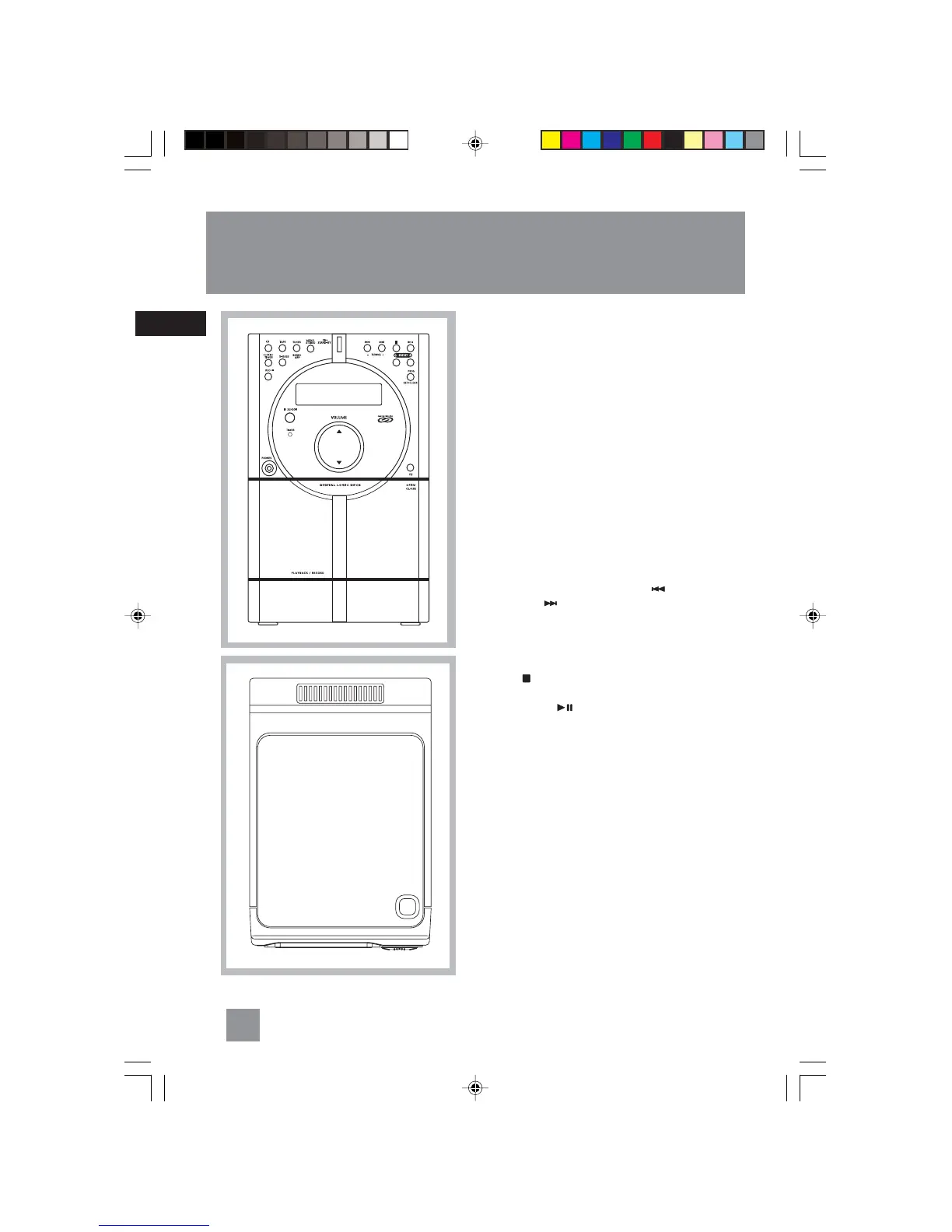
Front View
ON • STAND-BY – Turns on/off the unit.
Remember to unplug the power cord from the
power outlet if you are not going to use the
system for some time.
CD – Selects CD mode.
TAPE – Selects tape mode.
TUNER / BAND • APP – Selects tuner mode; selects
radio band in tuner mode; begins auto preset
programming.
MONO / STEREO – In Tuner mode – Toggles stereo
and mono mode in FM tuner.
CLOCK • TIMER – Shows clock time and timer on/
off time; enters clock and timer setting mode;
enable or disable timer mode.
X-BASS – Enables / disables X-Bass
REC•II – Starts/pauses recording from CD / Tuner
mode.
TUNING - / + (SKIP BACKWARD / SKIP
FORWARD ) – In CD mode - skips backward or
forward to the other tracks.
In Tape mode - Rewinds or fast forwards tape.
In tuner mode -searches down or up radio
frequency.
STOP ( ) – In CD mode - Stops CD playback.
In Tape mode – Stops tape playback.
PLAY/PAUSE ( ) – In CD mode – Plays and
pauses CD playback.
In Tape mode – Plays and pauses tape playback.
PRESET - / + – In tuner mode – selects preset
station.
PROG•SET•CLEAR – Enters program setting mode;
confirms your settings; clears settings.
EQ – Selects among different sound effects (flat /
classic / rock / pop / jazz).
VOLUME – adjusts the sound level.
PHONES – Jack for connecting headphones.
OPEN/CLOSE – Push to open the tape
compartment door.
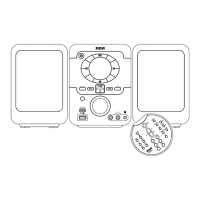
Top View
OPEN•CLOSE – Press to open the CD compartment
door.
OPEN•CLOSE
COMPACT DISC MICRO SYSTEM
RS2040 EN 2/2/04, 5:16 PM6



 To Next Page