EN
Settings
5
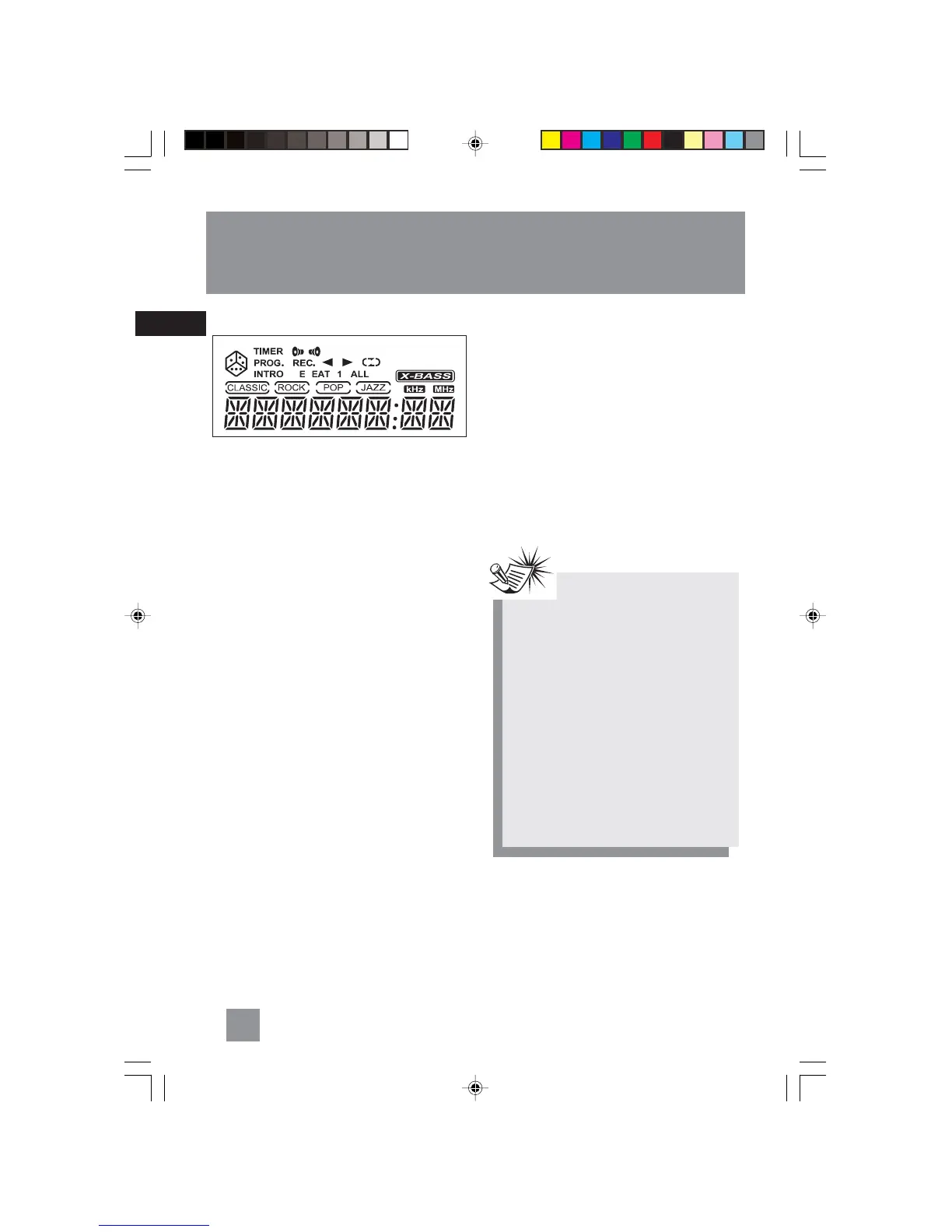
Display
Setting the Clock
1. Press CLOCK•TIMER to enter clock setting
mode. The display toggles between
“CLK -- --:00” and “PM -- --:00”.
2. Press TUNING - or + to set the hour.
3. Press PROG•SET•CLEAR to shift to the minute
digits.
4. Press TUNING - or + to set the minute.
5. Press PROG•SET•CLEAR to confirm the
setting.
Setting the Timer
1. Press CLOCK•TIMER twice to enter timer on
setting mode. The display toggles between
“ON -- --:00” and ““PM -- --:00””.
2. Press TUNING - or + to set the hour.
3. Press PROG•SET•CLEAR to move to the
minute digits.
4. Press TUNING - or + to set the minute digits.
5. Press PROG•SET•CLEAR to move to source
selection.
6. Press TUNING - or + to select source (Tape /
Tuner / CD / Rec TU)
If Rec TU is selected, “TU PR 1” will be
displayed. Press TUNING - or + to select the
preset station to record.
7. Press PROG•SET•CLEAR to move to volume
setting.
8. Press TUNING - or + to select desired volume
level.
9. Press PROG•SET•CLEAR to move to timer off
time setting. The display toggles between
“OFF -- --:00” and ““PM -- --:00””.
10. Repeat steps 3-5 to set timer off hour and
minute.
11. Press PROG•SET•CLEAR to confirm settings.
Timer will be activated automatically after settings
are finished.
Activating the Timer
Press and hold CLOCK•TIMER for 2 seconds on the
main unit to activate and deactivate the timer
function.
R
P
Note:Note:
Note:Note:
Note:
Timer can not be set or activated if clock
time is not set.
SET CLK
will flash on the
display when you try to activate the timer.
Follow instructions under “Setting the
Clock” to set clock.
If timer settings have not been entered,
SET TMR
will flash on the display when you
try to activate the timer. Follow instruc-
tions under ”Setting the Timer” to enter
timer settings.
If timer off time is set as the same as
timer on time,
TIMER NG
will flash on the
display. Set the correct timer off time
again.
RS2040 EN 2/2/04, 5:16 PM8



 To Next Page