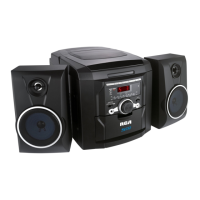
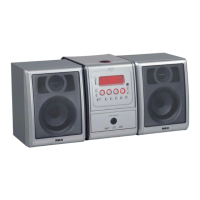
Need help?
Do you have a question about the RCA RS2202 and is the answer not in the manual?
Essential safety precautions and operating guidelines for user protection.
Highlights digital audio, disc compatibility, upgradeability, and performance features.
Lists essential accessories like the user manual, remote control, and cables.
Details the buttons and ports on the front and rear of the main unit.
Guide to connecting Composite, S-Video, and Component YUV video outputs to a TV.
Instructions for connecting 2-channel analog, coaxial digital, and speaker outputs.
Configures TV display format, angle marks, and OSD language for optimal viewing.
Settings for closed captions, screen saver, analog/digital audio, and LPCM output.
Manages video output types (Composite, YUV) and fine-tunes picture color settings.
Sets TV system compatibility, PBC function, and disc language preferences.
Manages parental control levels, default settings, and custom password protection.
Explains the function of each button on the included remote control.
Covers essential playback functions: power, source, disc tray, volume, and modes.
Details how to navigate tracks, chapters, and files, including search and skip functions.
Explains programming, repeat functions, goto time, zoom, and sound effect controls.
Guides on using the mute function and displaying disc information via OSD.
Instructions for playing Picture CDs and MP3 discs, including navigation and selection.
How to use headphones and operate the AM/FM tuner, including station saving.
Details on searching for stations and skipping forward or backward.
Solutions for common problems like no power, no picture, or no sound.
Addresses remote control malfunctions and problems finding radio channels.
Provides detailed specifications for power, disc output, and radio performance.
Details the warranty period, covered defects, and items not included in the warranty.
 General
| Brand | RCA |
|---|---|
| Model | RS2202 |
| Type | Stereo System |
| CD Player | Yes |
| Cassette Deck | Yes |
| Tuner Bands | AM/FM |
| Auxiliary Input | Yes |
| Remote Control | Yes |

 To Next Page