FCC Information
Technical specification
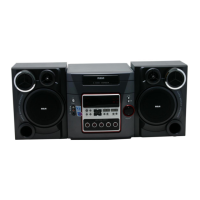
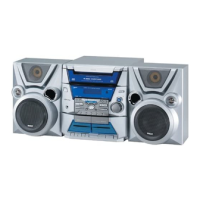
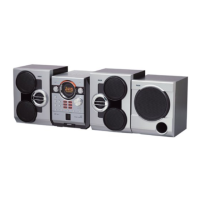
Thisdevicecomplies with Part15of the FCCRules. Product: 5CD Audio System
Operation issubject to the following two conditions: (1) Brand: RCA
Thisdevicemay not causeharmful interference, and (2) Model: RS2620
this devicemust accept any interference received,
including interference that may causeundesired opera- Electrical Consumption:
tion.
Inaccordancewith FCCrequirements, changesor modi_ Power Supply: 120V~60Hz
fications not expresslyapproved by Thomson multime- Power consumption: 80 Watts
dia _nc.could void the user'sauthority to operate this IMPORTER
product. Comerciatizadora Thomson de Mexico, S.A.de C.V.
Thisdevicegeneratesand usesradio frequency (RF) Miguel de Cervantes Saavedra 57
energy, andif not installed and usedproperly, this
equipment maycauseinterference to radio and televi- Col. Ampliaci6n Granada
C.P.11529 Mexico D.F.
sionreception. Telefono: (55)25 81 53 20
If this equipment doescauseinterference to radio or
RFC:CTM-980723-KS5
television reception (which you can determine by
unplugging the unit), try to correct the interference by
one or more of the following measures: ForYour Safety
• Re-orient the receivingantenna (that is,the antenna
for the radioor television that is "receiving" the inter- The AC power plug ispolarized
ference). (one blade iswider than the _3 _1S/_
• Movethe unit away from the equipment that is other) and onlyfits intoAC power
receiving interference, outlets one way. If the plug won't
• Plugthe unit into adifferent wall outlet sothat the go into the outlet completely, turn
unit and the equipment receiving interference are on the plug over and try to insertit
different branch circuits, the other way. If it still won't fit, contact a qualified
If these measuresdo not eliminate the interference, electrician to changethe outlet, or useadifferent one.
pleaseconsult your dealer or an experienced radio/tele- Do not attempt to bypassthis safety feature.
visiontechnician for additional suggestions.Also, the CAUTION: TO PREVENTELECTRICSHOCK,MATCH
Federal Communications Commissionhasprepared a WIDE BLADE OFPLUG TOWIDE SLOT,FULLY
helpfulbooklet, "How To Identifyand ResolveRadioTV INSERT,
Interference Problems."Thisbooklet isavailable from
the U.S.Government Printing Office, Washington, DC For Your Records
20402. Pleasespecify stock number 004-000-00345-4
when ordering copies. Inthe event that serviceshould be required, you may
Thisproduct complies with DHHSRules21 CFR need both the model number and the serialnumber. In
SubchapterJ.Applicable at the date of manufacture, the spacebelow, record the date and place of purchase,
and the serial number:
Model No.
Remote Control No.
Havea Blast-JustNot inYour
Date of Purchase
Eardrums Placeof Purchase
Makesureyouturn down the volume SerialNo.
on the unit beforeyouput on head-
phones.Increasethe volumeto the
desiredlevelonly after headphones Service Information
arein place. Thisproduct should be servicedonlybythose specially
.: trained in appropriate servicing techniques. Forinstruc-
i tions on how to obtain service,refer to the warranty
included in this Guide.
"%.. ................ , ...... ,...... , .............. ..°..°,° ...... °.............. , ...... °............................ °., ........... °.............. , ...... °...... °.............. . ....... ..."
THE LIGHTNING
FLASH AND ARROW-
HEAD WITHIN THE
TRIANGLE IS A
WARNING SIGN
ALERTING YOU OF
"DANGEROUS
VOLTAGE" INSIDE
THE PRODUCT.
CAUTION: TO REDUCE THE
RISK OF ELECTRIC SHOCK
DO NOT REMOVE COVER
(OR RACK). NO USER-
SERVICEABLE PARTS IN-
SIDE. REFER SERVICING
TO QUALIFIED SERVICE
PERSONNEL.
A
THE EXCLAMATION
PONTWTHNTHE
TRIANGLE IS A
WARNING S GN
ALERTING YOU NO;I
IMPORTA
INSTRUCTIONS
ACCOMPANYINGI
THE PRODUCT.
SEE MARKING ON BOTTOM / BACK OF PRODUCT
WARNING: TO PREVENT FIRE OR ELECTRICAL
SHOCK HAZARD, DO NOT EXPOSETHIS PRODUCT
TO RAIN OR MOISTURE.
FCCInformation
Safety Information
Getting Started ....... 2
Unpacking the system ........ 2
Back View .................. 2
Installation ................. 2
GeneralControls ...... 3
Main Unit .................. 3
Remote Control ............ 4
DisplaySettings
Display .................... 5
Showing Demonstration ..... 5
DisplayClock / Timer ......... 5
Setting the Clock .......... 5
Setting the Timer ......... 5
Activating the Timer ....... 5
Adjusting the Display Brightness
............................ 5
Sleep Mode ................ 5
SoundFeatures ....... 6
PresetEqualizer Curves ...... 6
Creating Custom curves ...... 6
BassBoost .................. 6
Muting Audio .............. 6
CDPlayer
Notes on CD-R/RW Disc....... 6
Loading Discs ............... 6
Playing Discs................ 6
Play and Load
Simultaneously ........... 7
Skipping a Disc ........... 7
Searching Through a CD ...7
Shuffling the Play Order ...7
Sampling Tracks........... 7
Repeat .................. 7
Setting Up a CDProgram...7
Playing a Program List ..... 7
Displaying the Program List .7
Deleting Program List ...... 7
Radio ............... 8
Selecting Tuner Band ........ 8
Tuning to a Station .......... 8
Using Presets ............... 8
Auto Preset Programming
(FM only) ................... 8
Manually Setting Presets ..... 8
Suppressing Stereo Signal .... 8
TapePlayer
Playing a Tape .............. 9
Continuous Play ............. 9
Recording .................. 9
From Tuner ............... 9
From CD ................. 9
Tapeto Tape ............. 9
TroubleshootingTips..I0
Maintenance ........ 11
Cleaning ................. 11
CDPlayer ................. 11
Tape Player ................ 11
Handling CDs .............. 11
Cleaning CDs .............. 11
CDLens Care .............. 11
Important Information 12
Safety Precautions......... 12
Important Battery
Information ............... 12
Headset Safety ............. 12
Don't Infringe ............. 12
Technicat Specification ...... 12
Limited Warranty
(U.S.)..............13
Limited Warranty
(Canada) ........... 15
*"',,. ................... °............. , .............. •...... o,.,,.,, ..................... °...... ,,.,, ................. , ............. , .............. o............. ° .............. °,,,.,°'°"
!


 To Next Page
 Loading...