EasyManua.ls Logo

RCA RS32H2-EU - User Manual

RCA RS32H2-EU
20 pages
Print Icon
To Next Page IconTo Next Page
Loading...
RS32H2-EU
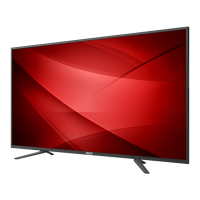
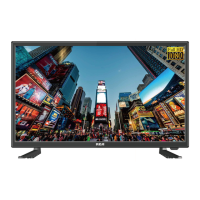
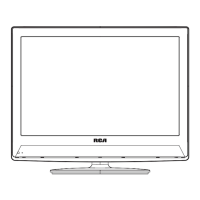
32 INCH LED HD LCD TV

Questions and Answers

  • M
    mdeanAug 1, 2025
    What to do if RCA RS32H2-EU remote control is not working?
    • B
      Brittany WeberAug 1, 2025
      If your RCA LCD TV is not responding to the remote control, first, check if the batteries in the remote are working and replace them if necessary. If that doesn't work, clean the remote control sensor lens on the TV. As an alternative, you can use the buttons on the side of your TV.
  • K
    Kelly GomezAug 5, 2025
    Why is there no picture on my RCA LCD TV?
    • W
      Wyatt SimmonsAug 6, 2025
      If your RCA LCD TV shows no picture, check the antenna connections at the rear of the TV to ensure they are properly connected. It could also be a broadcast station issue, so try changing the channel. Additionally, adjust the contrast and brightness settings, and check the Closed Captions control, as some TEXT modes might block the screen.
  • N
    Nathaniel DickersonAug 10, 2025
    How to troubleshoot RCA RS32H2-EU with no power?
    • M
      millsjohnAug 10, 2025
      If your RCA LCD TV has no power, ensure that the TV's AC power cord is securely plugged into the outlet. Unplug the TV, wait for 60 seconds, then reinsert the plug and turn the TV on again.
  • J
    Jessica PattersonAug 14, 2025
    What to do if RCA RS32H2-EU has good sound but poor color?
    • N
      Nicole HortonAug 14, 2025
      If the sound is good but the color is poor on your RCA LCD TV, try adjusting the contrast, color, and brightness settings to improve the picture quality.
  • M
    Megan MckinneyAug 18, 2025
    How to resolve “ghost” or double image on RCA LCD TV?
    • C
      christinesmithAug 18, 2025
      A “ghost” or double image on your RCA LCD TV may be caused by obstructions to the antenna, such as high-rise buildings or hills. Using a highly directional antenna may improve the picture.
  • J
    Jeffrey ThomasAug 22, 2025
    What causes a horizontal dotted line on RCA LCD TV?
    • D
      Diane PowellAug 22, 2025
      A horizontal dotted line on your RCA LCD TV may be caused by electrical interference from devices like hair dryers nearby.
  • R
    Renee PageAug 27, 2025
    Why are there pixels (dots) that are always dark or always lit on my RCA RS32H2-EU?
    • U
      upalmerAug 27, 2025
      Your RCA LCD TV is precision-manufactured, but sometimes pixels may not display correctly, appearing always dark or always lit. These occurrences are inherent to this type of product and do not indicate a defect.

Summary

Important Safety Instructions

Electrical Safety Warnings

Warnings about electric shock, user serviceability, and dangerous voltages within the unit.

General Safety Precautions

Essential guidelines for safe operation, including handling, ventilation, and placement of the apparatus.

Environmental and Disposal Guidelines

Advice on environmental responsibility, battery disposal, and recycling the product.

Precautions and Reminders

Handling and Placement Precautions

Guidelines for safe handling, placement, and preventing falls to avoid injury or damage.

Button Control and Peripheral Connection

Operating Instructions

Remote Control Operation

Guide to using the remote control buttons for TV operation and accessing features.

Troubleshooting Common Issues

Picture and Sound Troubleshooting

Solutions for common picture and sound quality issues.

Power, Remote, and Signal Issues

Troubleshooting steps for power, remote control, signal reception, and noise problems.

RCA RS32H2-EU Specifications

General IconGeneral
BrandRCA
ModelRS32H2-EU
CategoryLCD TV
LanguageEnglish

Related product manuals