15
TV
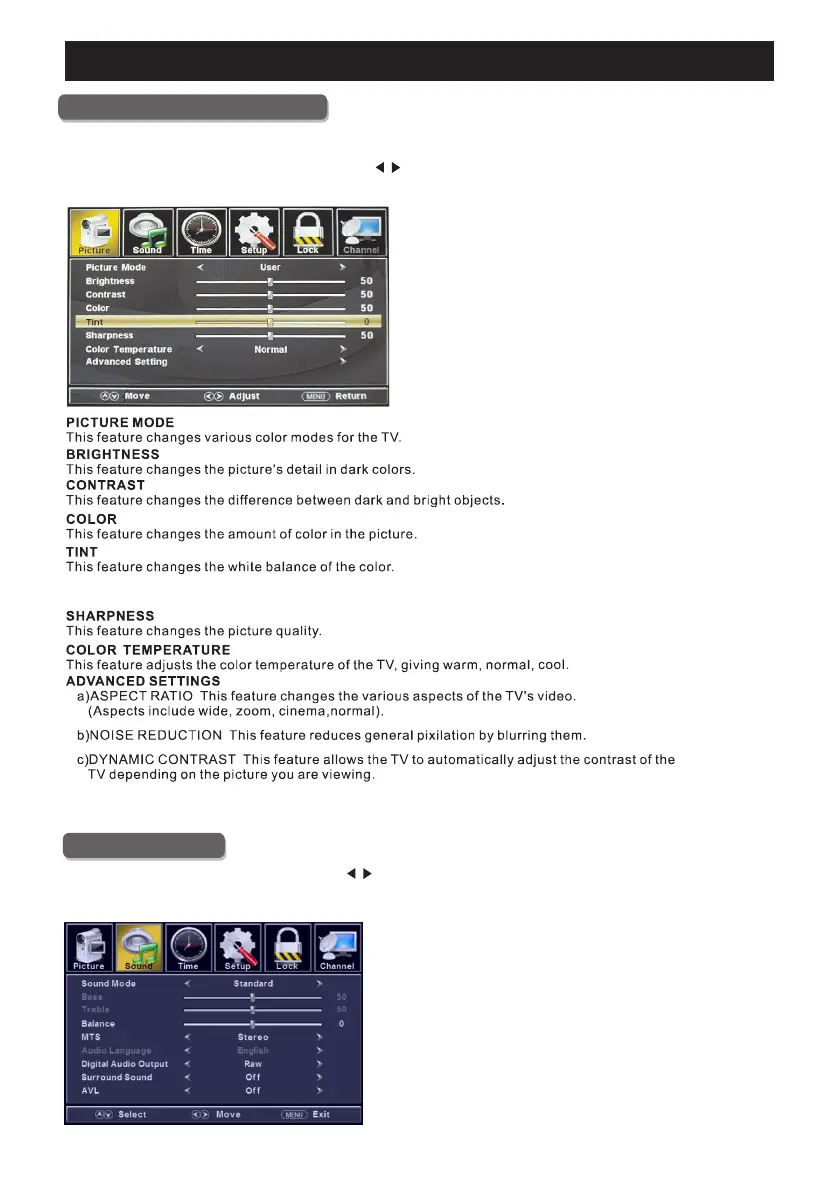
Picture Menu
ENU to enter the main menu, Press button to select.Press M
Press to enter.ENTER / ▼
ENU again to exit or back to parent menu.Press M
Main Menu Operation
Sound Menu
ENU to enter the main menu, Press button to select.Press M
Press to enter.ENTER / ▼
ENU again to exit or back to parent menu.Press M
d)HDMI MODE Video Mode will do overscan, use different aspect ratio;
Graphic Mode do not overscan, display 100 video.C
Adjusting tint will affect the skin tone. -50 will increase red,+50 will increase green.
Ideally, the tint scale on the TV OSD should show the red/green color for easy adjustment.
/
/
%


 To Next Page
 Loading...