23
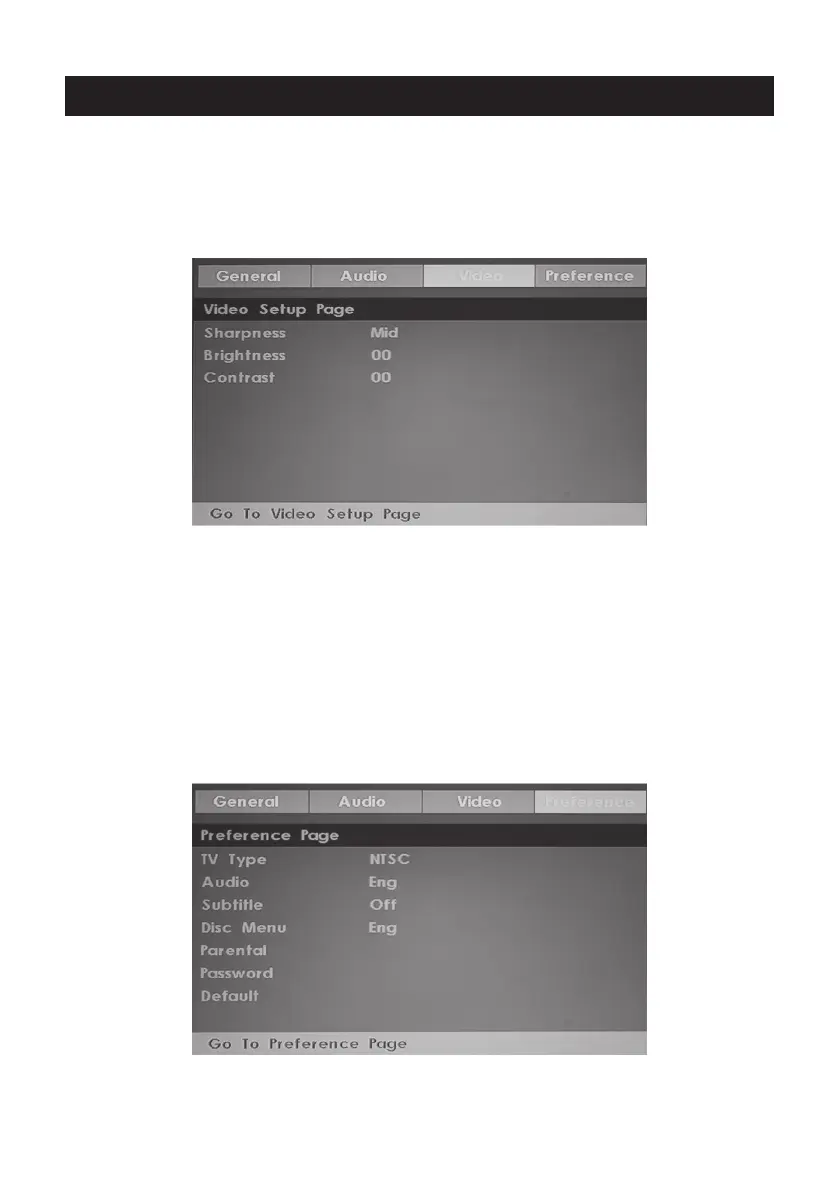
3.Video Setup Page
Sharpness:adjust the sharpness of the image.
Brightness:adjust the brightness of the image.
contrast:adjust the contrast of the image.
4.Preference Page (Note:This menu page will pop up before put the disc
into DVD.)
TV Type: Select the local TV system (PAL TV/Multi/NTSC TV)
Audio: Disc audio language selection (disc dependent)
Subtitle: Disc subtitle language selection (disc dependent)
Disc Menu: Disc Menu language selection (disc dependent)
Parental: Set the maximum disc rating (Kid Safe/G/Pg/Pg 13/Pgr/R/Nc 17/Adult) that can be
viewed without a password
(default password is 0000)
Password: Change the password
Default: Choose this to restore the original default Preference settings
DVD Setup



 To Next Page
 Loading...