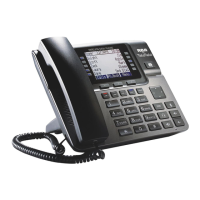
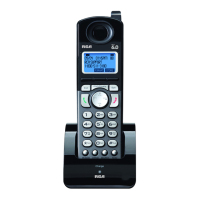
17
Dial Mode (only applicable for base)
From the Phone Setting Menu:
vol Dial Mode
SELECT
3. Use the VOL (- or +) button to toggle between L1 and L2 and press Select soft key
to confirm, then use the VOL (- or +) button to scroll to Tone or Pulse.
SELECT
NOTE: The Dial mode only can be set in the base menu.
Area Code (only applicable for base)
From the Phone setting Menu:
vol Area code
SELECT
SAVE .
Registration (only applicable to handset)
NOTE: If a handset has not been registered to the base, then the display
will show PRESS REG TO INITIATE REGISTRATION once the handset has been
activated. Press the REG Soft key to start the registration.
From the Phone Setting Menu:
VOL Registration
SELECT
NOTE: If an optional cordless headset has been registered to the base ,
up to 9 cordless handset can be registered to one base .



 To Next Page
 Loading...