30
Transferring a Call to Another Extension
1. Press XFER Soft key when the phone is in Talk mode. The current call is put on hold.
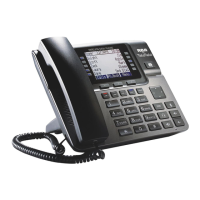
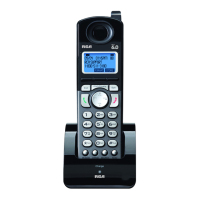
2. Use VOL (- or +) to select the desired handset or base you want to transfer to, and then
press the SELECT Soft key.
3. The unit will intercom
ring
the selected handset or base.
Wait until the selected handset or base answers the intercom call and have a
conversation and then hang up to finish the transfer or press Conference to have a 3
way conference call.
4. If the selected unit rejects the intercom call, or the call is not answered within 30 seconds, the
call is transferred back to the original unit and the display will show as below a) or b)
Receiving a Transferred Call from Another Extension
If the unit receives a transfer call paging, Intercom call from base/Handset X shows in the
display. Press the Talk button (handset only) or speaker button (both base and handset) or
leave the corded handset on the base unit to answer the call.
If you press the REJECT Soft key or the call is not answered within 30 seconds , the
intercom paging will be stopped and the call is transferred back to the original unit.
Ringer On/Off and Ringer Volume
1. Make sure the phone is in idle mode.
2. Press the VOL (- or +) button to activate the ringer volume setting. Press Line1 or Line2 button to
select the direct line which you want to set, then use the VOL (- or +) button to scroll to your selection.
The default setting is VOL 3.
3. Press the SELECT Soft key to save your selection.
NOTE: If you choose the ringer OFF, the screen displays L1/L2 RINGER OFF.
Speakerphone, Handset, and Corded Headset
V
olume
While the phone is in use, during the desired mode, press the VOL (+ or -) buttons until
you reach a comfortable listening level. The phone stores the setting after the last button
pressed.



 To Next Page
 Loading...