PREFERENCES
I Remote Control: VCR1
2 Auto Play: OFF
3 Auto TV/VCR: OFF
4 EnergySaver: 2:00
5 Front Panel: AUTO
6 Tape Speed: SLP
7 Commercial Advance
8 Set Auto Repeat
0 Exit
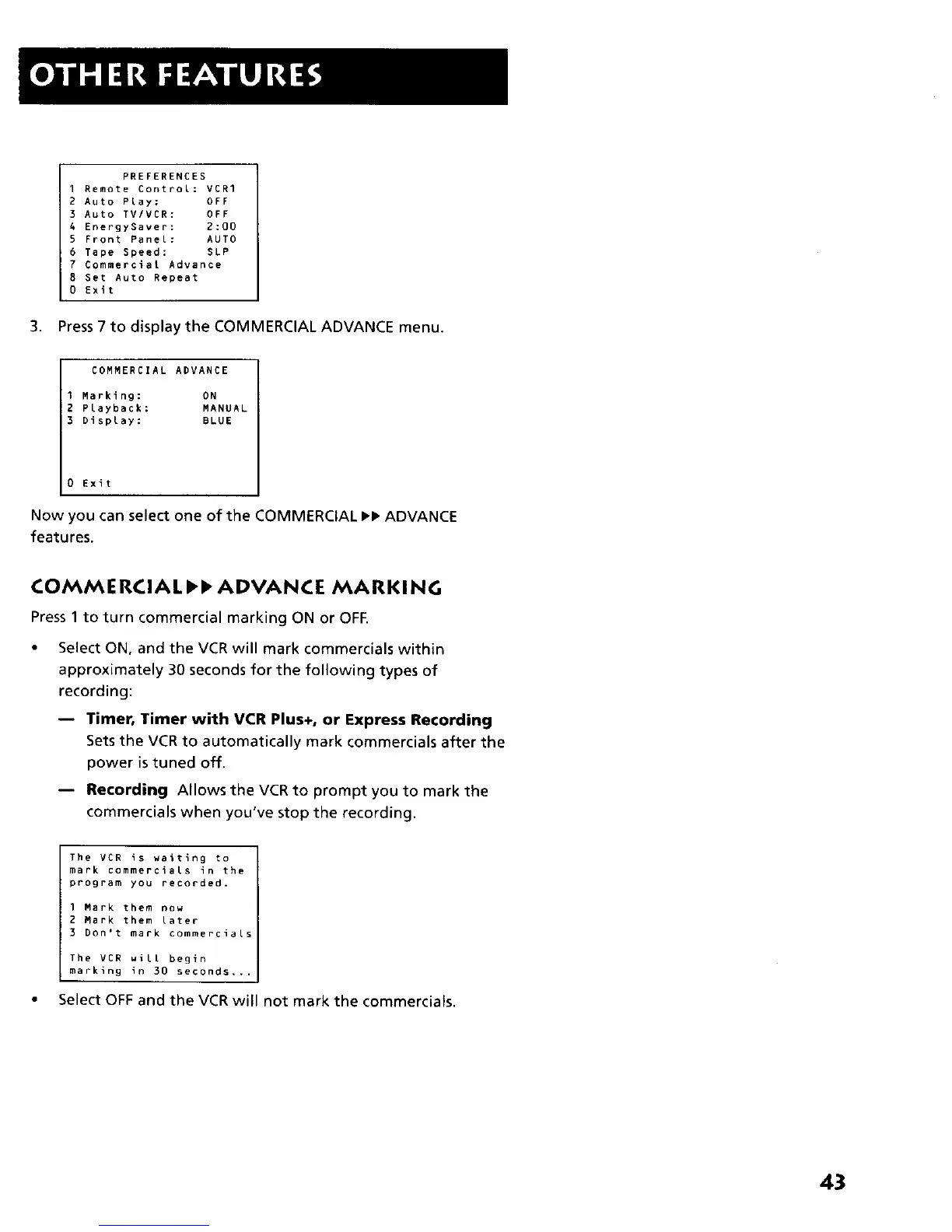
3. Press 7 to display the COMMERCIAL ADVANCE menu.
COMMERCIAL ADVANCE
Marking: ON
Playback: MANUAL
Display: BLUE
Exit
Now you can selectone ofthe COMMERCIAL ,, ADVANCE
features.
COMMERCIAL,I ADVANCE MARKING
Press 1 to turn commercial marking ON or OFF.
Select ON, and the VCR will mark commercials within
approximately 30 seconds for the following types of
recording:
-- Timer, Timer with VCR Plus+, or Express Recording
Sets the VCR to automatically mark commercials after the
power istuned off.
-- Recording Allows the VCR to prompt you to mark the
commercials when you've stop the recording.
The VCR is wa_tlng to
mark commercials in the
program you recorded.
I Mark them now
2 Mark them later
3 Don't mark commercials
The VCR will begin
marking in 30 seconds,..
Select OFF and the VCR will not mark the commercials.
43



 To Next Page