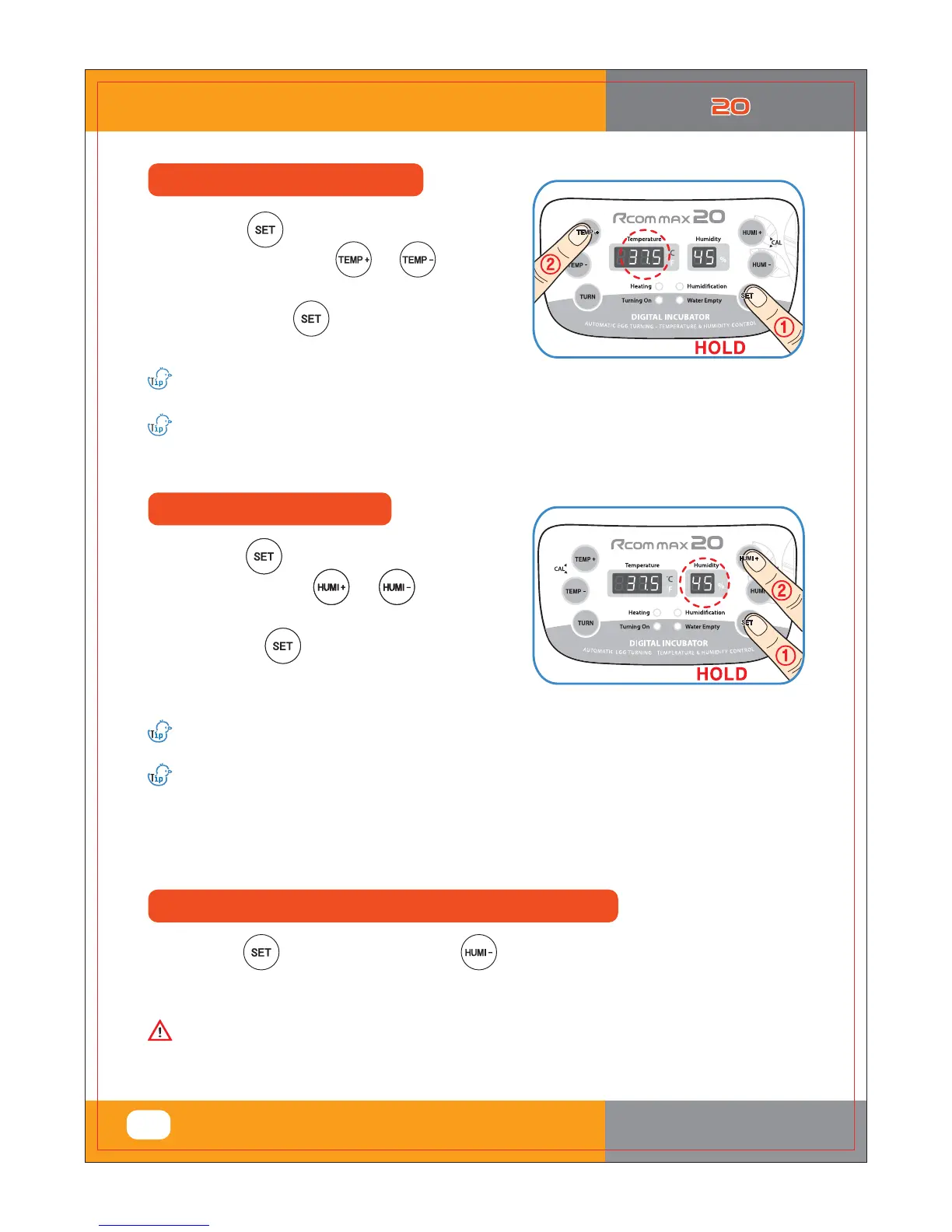
ŷ (Keep pressing the button)
ŷ (Keep pressing the button)
%*(*5"-*/$6#"503
45
3. Function Settings
(3) Temperature & Humidity Setting /
How to Set Egg-Turning
▶ In a state of button being pressed, adjust the
humidity you want with or button.
humidity setting will be completed when you remove your
finger from the button, and the present humidity
of the incubator inside will be indicated.
▶ Be sure to set humidity RH 65 ~ 70% from 1~3 days before hatching.
Temperature and humidity can be different from normal setting levels according to the surrounding
environment. (Refer to a incubation guidebook which is supplied separately.)
Temperature and humidity is optimized when Rcom products are released.
We do no recommend customers to recalibrate by their own. If you need to recalibrate, please visit our
ZHEVLWHZZZUFRPFRNUĺ'RZQORDGĺ0DQXDORUDVNSXUFKDVHSODFH
Because of low price thermometers and hygrometers are not accurate, e recommend you to use special
FDOLEUDWHGWKHUPRK\GURPHWHU3RXOWU\RQO\WKHUPRK\GURPHWHUFKHFN5FRPZHEVLWH'LJLORJⅡ)
▶ In a state of button being pressed, press button to adjust humidity at RH 19% and, then,
humidification function will be OFF. On the contrary, if you adjust humidity above RH 20%, its function will
be ON.
How to Turn ON/OFF Humidification Function
How to Set Humidity
How to Set Temperature
▶ In a state of button being pressed, adjust the
temperature you want with or button.
Temperature setting will be completed when you remove
your finger from the button, and the present
temperature of the incubator inside will be indicated.
▶ In a state of button being pressed, adjust the
humidity you want with or button.
humidity setting will be completed when you remove your
finger from the button, and the present humidity
of the incubator inside will be indicated.
▶ Be sure to set humidity RH 65 ~ 70% from 1~3 days before hatching.
Temperature and humidity can be different from normal setting levels according to the surrounding
environment. (Refer to a incubation guidebook which is supplied separately.)
If you press SET button, the present setting temperature and humidity will be indicated and, if you remove
your finger from the button, the present inner temperature and humidity indicated.
If you set the incubator under a direct ray of light or too cold spot, the incubator temperature can be higher
or lower than setting temperature.
In case you use the incubator without adding humidification water or intend to incubate eggs at low
humidity under RH 20%, you must stop its humidification function. please turn off the humidity unit if the
unit is empty water otherwise, humidity unit will be broke or you may not no longer use the unit.
Temperature and humidity is optimized when Rcom products are released.
We do no recommend customers to recalibrate by their own. If you need to recalibrate, please visit our
ZHEVLWHZZZUFRPFRNUĺ'RZQORDGĺ0DQXDORUDVNSXUFKDVHSODFH
Because of low price thermometers and hygrometers are not accurate, e recommend you to use special
FDOLEUDWHGWKHUPRK\GURPHWHU3RXOWU\RQO\WKHUPRK\GURPHWHUFKHFN5FRPZHEVLWH'LJLORJⅡ)













 To Next Page