DCN: 141-02071-01 Page 4
Setting Fan Mode
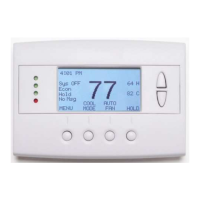
System Status Indicators
System Operation mode indicator
displayed > System is ON and heating
displayed > System is ON and cooling
blinking > System is ON and heating. Minimum Run Time (MRT) delay off is active.
blinking > System is ON and cooling. Minimum Run Time (MRT) delay off is active.
Staging display
“1” > Stage 1 heating or cooling is ON
“2” > Stage 2 heating or cooling is ON
“3” > Stage 3 heating is ON
For Heat Pump systems only: “Heat-E” > emergency heat mode active
Run/Home/Away display
Run scheduling feature is enabled
Hold scheduling feature is disabled (current setpoints are being used)
Away setback mode is active (setback setpoints are being used)
Notes 1 and 2: See MOT and MRT descriptions on page 9
Press the Fan button to change the Fan mode
• Auto: Fan automatically operated by the HVAC system.
• On: Manual Fan mode. Fan stays on until mode is changed back to Auto.


 To Next Page