Door control
FireProV2
Manual
Please keep this manual with attachments carefully!
12.2 F; Error messages:
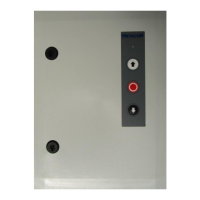
If the mains supply is present and there is no malfunction, the LED on the lid lights up green.
When a malfunction occurs or the BMC or RMC input is active and the smoke detection is not
reset, it lights red. If the maintenance cycle counter has passed, it flashes alternately red and green.
Carry out maintenance at the door and control. And then set the parameter 8.5 to the desired
position so that the maintenance counter can start again
Recommendation/explanation
Thermo contact activated. Allow the motor to
cool down.
Make sure the roll off protection has been
activated. If so, make sure the door is
mechanically okay. If it is in order replace the
roll off protection or, if possible, restore it.
If it is not activated, check the electrical circuit on
connector X6. It must be closed if the safety break
is not activated. If there is no safety break place a
wire bridge on this connection.
This notification is given when it is chosen to
automatically detect the safety edge. If the safety
edge is not detected during the start-up of the
control, this notification will appear once. If a
safety edge is connected, make sure it is
connected correctly to connector X12. The opto
sensors must see each other during the start-up of
the control. A 1K2 or 8K2 resistance must be
present on the connectors at the start-up of the
control. If necessary, set the type of safety edge
manually from the menu.
The photo cells have been interrupted. This may
be by passing the door. If this notification remains
check that the photo cell is well aligned and that
the lens is clean.
Check the electrical circuit connected to X10. If
the photo cells are not interrupted, the electrical
circuit must be closed on X10 (1 & 2). If no
photo cells are used, place a wire bridge at this
connection.
Number of attempts safety
edge (set at parameter 2.5)
achieved
Check that there is no obstacle in the door
opening. If so remove it and give an new
command to close the door. If this is not the case,
make sure that the safety edge is still in order and
pre limit switch close is correctly set.


 To Next Page