ReadyDock Duo Manual v1-5.doc 11 ReadyDock.net
VII. Lamp Status
When the lamps are nearing or need replacement the Lamp Status Indicator will be
visible on the home screen.
The Lamp Status is represented by the following:
o Yellow - Slow Blinking Light – Will need replacement soon.
o Red - Medium Blinking Light – Lamps need to be replaced.
o Red - Solid Light –ReadyDock: Duo can no longer disinfect; lamps must be
replaced.
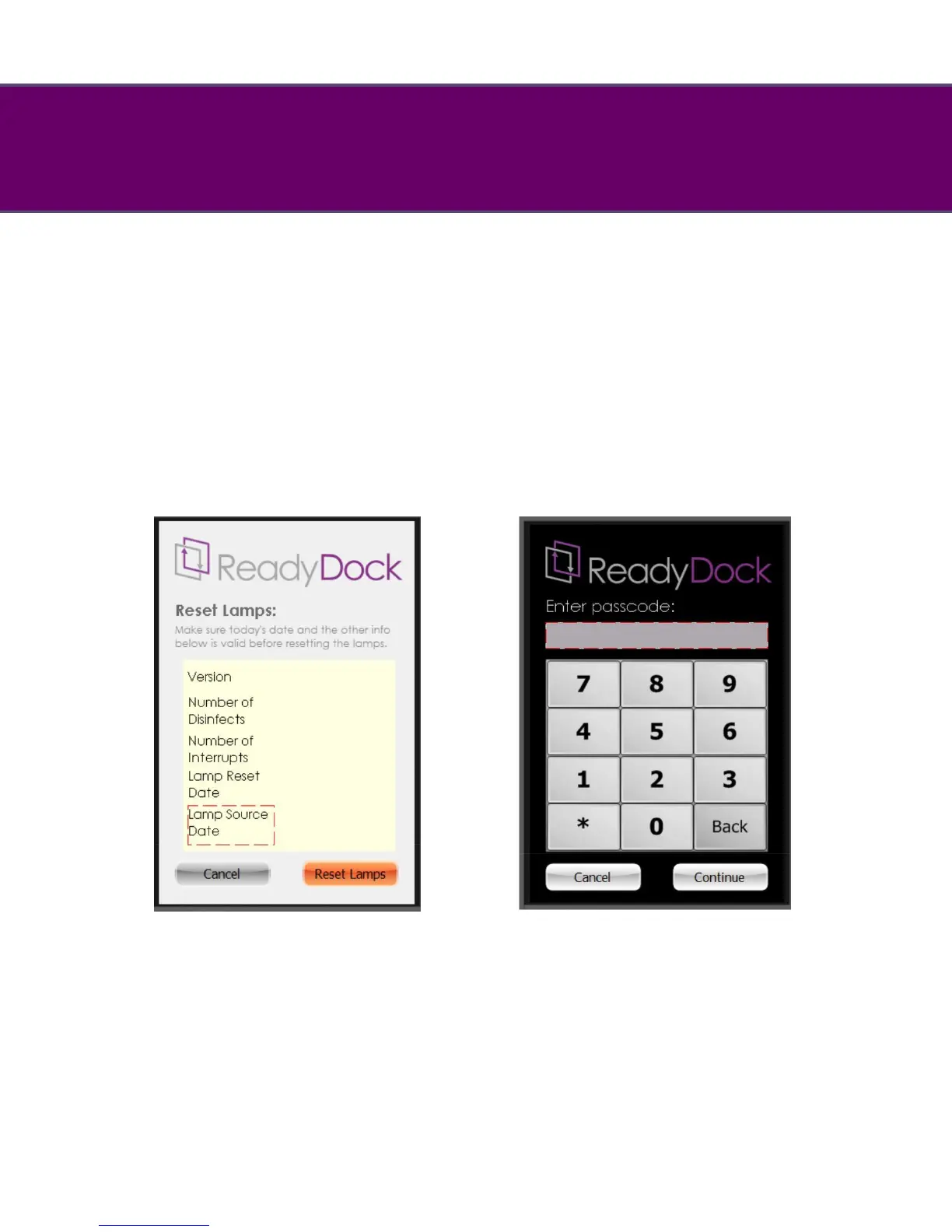
To reset the lamp replacement timer, enter the reset password of 7890 on the setup
keypad and press “continue” (see below).
Next enter the current date into the keypad and press “continue”.
This will bring up the lamp--‐reset screen (see below).
From the lamp reset screen you have the option to reset the lamp timer or cancel to
return to the home screen.


 To Next Page