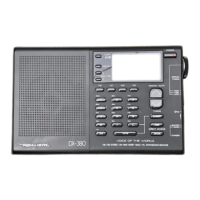
PRO-41 (200-0301) Preparation Faxback Doc. # 7312
POWER SOURCES
You can power the scanner from any of the following three sources:
Internal batteries
A standard AC outlet (using an optional AC adapter)
The vehicle's battery (using an optional DC adapter)
Using Batteries
You can operate the scanner from five AA batteries. For longest
operation and best performance, we recommend alkaline batteries (Radio
Shack Cat. No. 23-552). Or, you can use rechargeable nickel-cadmium
batteries (Cat. No. 23-125).
Warning: The scanner has a built-in circuit that lets you recharge
nickel-cadmium batteries inside the scanner. However, you
must never use this circuit when you have installed non-
rechargeable batteries in the scanner. Be sure to set the
switch in the battery compartment to the correct position for
the type of batteries you install.
1. Remove the battery compartment cover by pressing down on the arrow and
sliding the cover in the direction of the arrow.
2. Remove the battery holder from the compartment and remove any old
batteries. Then, install five AA batteries, observing the polarity
(+ and -) marked on the battery holder.
3. Set the switch in the battery compartment to the correct position for
the type of batteries you install. Set the switch to REG ALK BATT if
you install regular or alkaline type batteries. Set the switch to
NI-CAD BATT if you install nickel-cadmium type batteries.
Caution: Never set this switch to NICAD BATT when you install non-
rechargeable batteries. If you attempt to recharge non-
rechargeable batteries, they become very hot and might damage
the scanner or even explode.
4. Place the battery holder in the compartment so that the holder's metal
contacts line up with the metal contacts in the battery compartment.
5. Replace the battery compartment cover.
The scanner beeps every 15 to 30 seconds when the batteries are low.
When this happens, immediately replace or recharge all five batteries.
Using an AC Power Source
To power the scanner from AC power, you need Radio Shack's AC adapter
(Cat. No. 273-1652). Use of another adapter could damage the scanner or
the adapter.
1. Be sure that you have set the switch in the battery compartment to the
correct position. (See "Installing or Replacing Batteries.")
2. Connect the adapter's green barrel plug to the adapter's cord and set
the barrel plug's tip polarity to positive.
3. Insert the adapter's plug into the scanner's EXT PWR jack.
PRO-41 10 Channel Programmable Scanner 200-0301 Preparation http://support.radioshack.com/support_electronics/doc7/7312.ht
1 of 4 2/12/2014 6:02 P



 To Next Page