batteries.
If you plan to use rechargeable batteries, do not use any
adapter other than those specified in "Power Sources."
While adapters of the same voltage rating and at least
the minimum current rating could power the scanner,
other adapters might not work properly with the charging
circuit in the scanner, and could permanently damage the
batteries or the scanner.
The first time you use a set of nickel-cadmium batteries,
charge them at least 24 hours to bring them to a full
charge.
CONNECTING THE ANTENNA
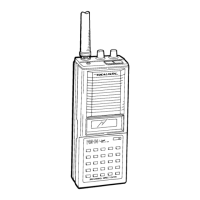
Attach the flexible antenna to the antenna jack on top of the scanner.
Slip the slot in the antenna's connector over the protrusion on the jack.
Then, press down and rotate the base of the antenna until it locks into
place.
The scanner's antenna jack makes it easy to use the scanner with a variety
of antennas. You can remove the supplied antenna and attach a different
one, such as an external mobile antenna, telescopic antenna, or outdoor
base antenna. Radio Shack stores sell the antenna connector adapters that
let you use these antennas.
Use coaxial cable to connect an outdoor antenna. Always use 50-ohm
coaxial cable. For lengths over 50 feet, use RG8 low-loss dielectric
coaxial cable.
Warning: When installing or removing an outdoor antenna, use extreme
caution. If the antenna starts to fall, let it go! It could
contact overhead power lines. If the antenna touches the power
line, contact with the antenna, mast, cable, or guy wires can
cause electrocution and death! Call the power company to remove
the antenna. Do not attempt to do so yourself.
ATTACHING THE BELT CLIP
You can connect the supplied belt clip to the scanner to make it easier to
use the scanner when you are on the go. Connect the clip to the scanner
with the two provided screws.
CONNECTING AN EARPHONE
Follow these steps to use the earphone for private listening:
1. Turn the volume control to its minimum position.
2. Plug an earphone into the EAR jack on top of the scanner. This
automatically disconnects the speaker. We recommend Radio Shack's
earphone Cat. No. 33-175. In a noisy environment, mono headphones
(Cat. No. 20-210) make listening easier.
3. Adjust the volume to a comfortable level.
Warning: Do not listen at extremely high volume levels, especially when
using an earphone. Extended high-volume listening can lead to
permanent hearing loss.
CONNECTING AN EXTENSION SPEAKER
In a noisy area, an extension speaker positioned in the right place, might
provide more comfortable listening. Plug the speaker cable's 1/8-inch
PRO-41 10 Channel Programmable Scanner 200-0301 Preparation http://support.radioshack.com/support_electronics/doc7/7312.ht
3 of 4 2/12/2014 6:02 P



 To Next Page