28
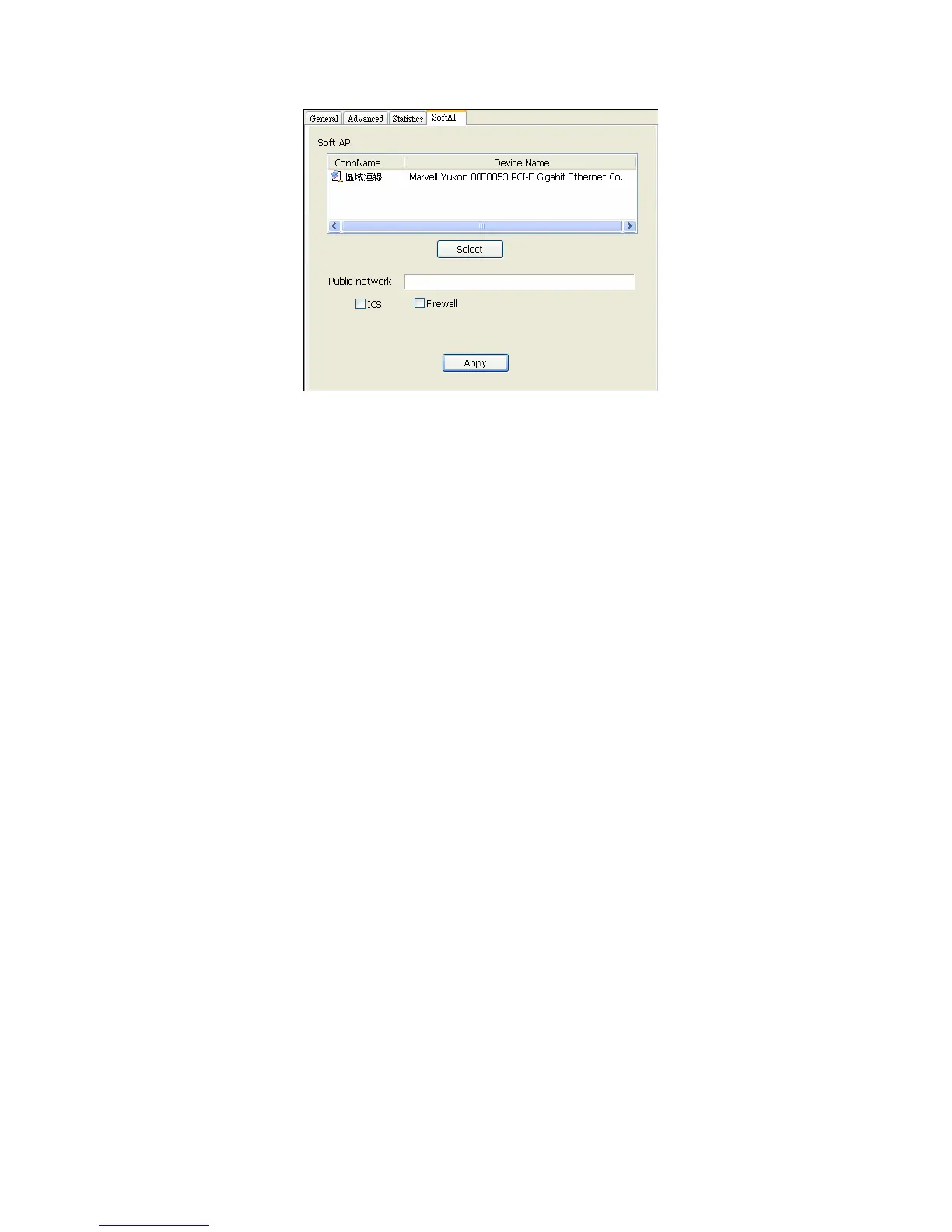
1. ConnName
List all network connections on this system. You should pick up one from the
listed item(s) which network domain you would want to connect.
2. Select
Make the desired network connect to public network.
3. ICS
Internet Connection Sharing. It enables this access point to create the domain
to share this internet/intranet network connection
4. Firewall
Any of a number of security schemes that prevent unauthorized users from
gaining access to a computer network or that monitor transfers of
information to and from the network.
5. Apply
Execute the current setting.
1



 To Next Page