Home
Realtek
Computer Hardware
RTL8187SE
Page 29 (Using 802.1 x Security Protocol)
Realtek RTL8187SE - Using 802.1 x Security Protocol
30 pages
Manual
Save Page as PDF
To Next Page
To Next Page
To Previous Page
To Previous Page
Loading...
29
Appendix 1: H
ow to use 802.1x ( Step
by step )
S
t
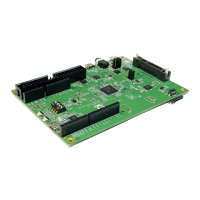
ep 1 : Set
Authentication mode to WP
A
802.1x ,or W
P
A2 802.1x
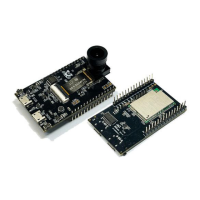
S
t
ep 2 : Set encryption to
TKIP ,or
AE
S
S
t
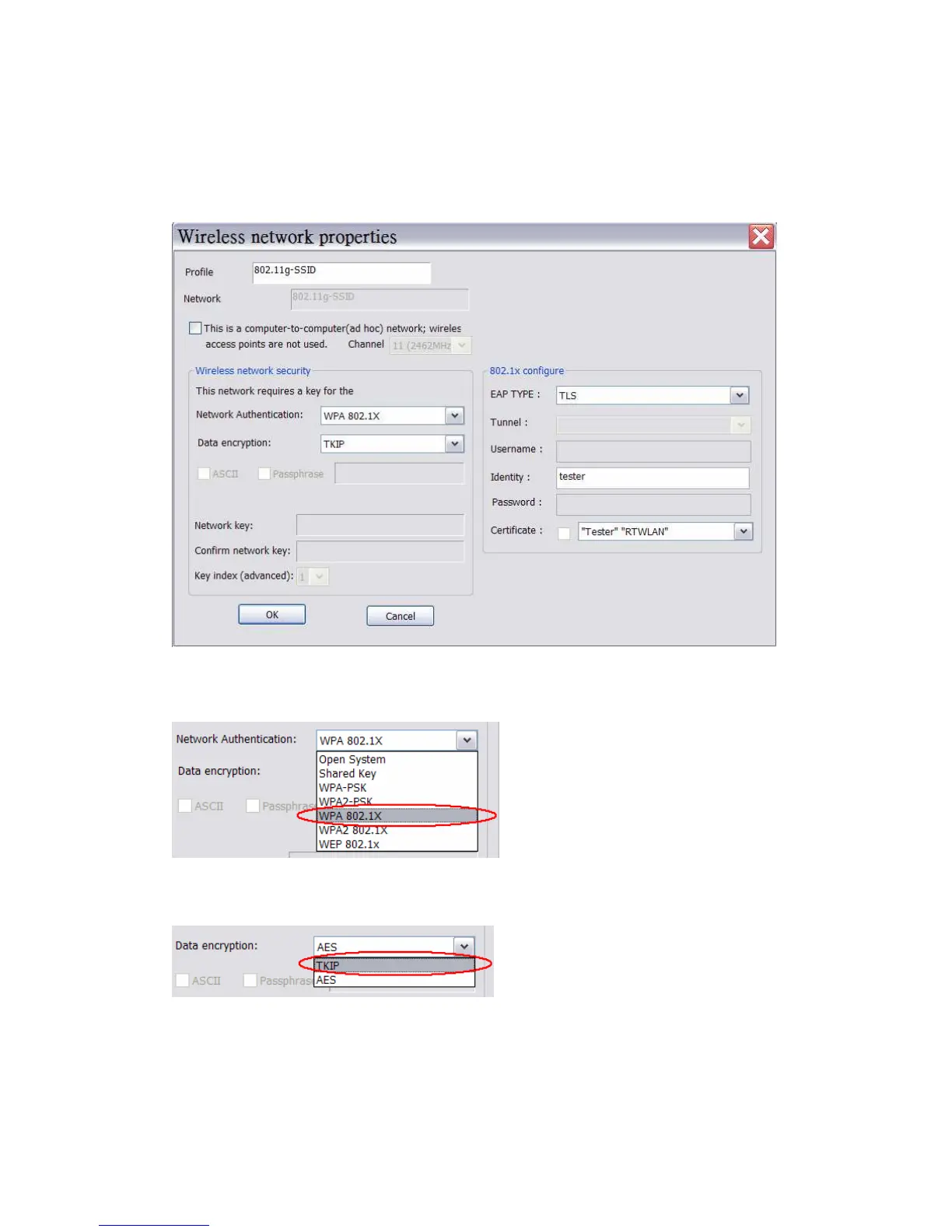
ep 3 : Set EAP
T
ype to MD5 , GTC , TLS , LEAP ,
TTLS ,or PEAP
28
30
Table of Contents
Main Page
Default Chapter
3
Table of Contents
3
Chapter 1 Introduction
4
Chapter 2 Specifications
5
Chapter 3 Installation/ Un-Installation
6
Installation
6
Un-Installation
12
Chapter 4 Rtwlan: Wireless LAN Management GUI
14
Introduction of Main Window
14
Station Mode
18
AP Mode
24
Appendix 1: How to Use 802.1X ( Step by Step )
29
Related product manuals
Realtek RTL8762E
15 pages
Realtek RTL87 2 Series
25 pages
Realtek AmebaPro RTL8715AD
35 pages
Realtek AmebaPro2 RTL8735B
32 pages



 To Next Page