9
If you install Realtek RTL8187SE Wireless LAN MINI CARD Adapter into
your laptop computer after installing the software program from the CD.
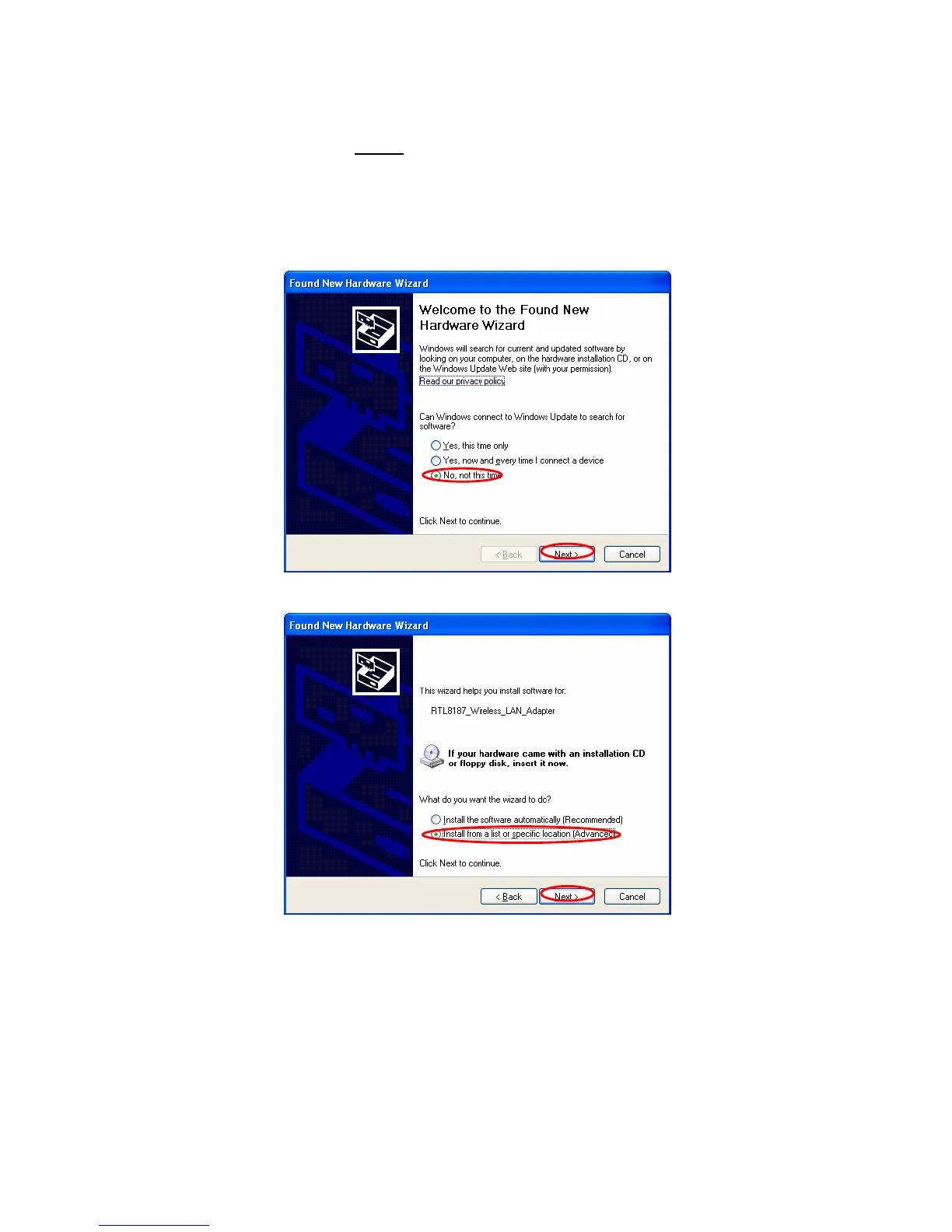
When you install Realtek RTL8187SE Wireless LAN MINI CARD Adapter,
the following dialog will be shown.
A. Please choose “No, not this time” and click “Next”.
B. Please choose “Install from a list or specific location” and click “Next”.



 To Next Page