www.reconyx.com 2
Scheduling Options
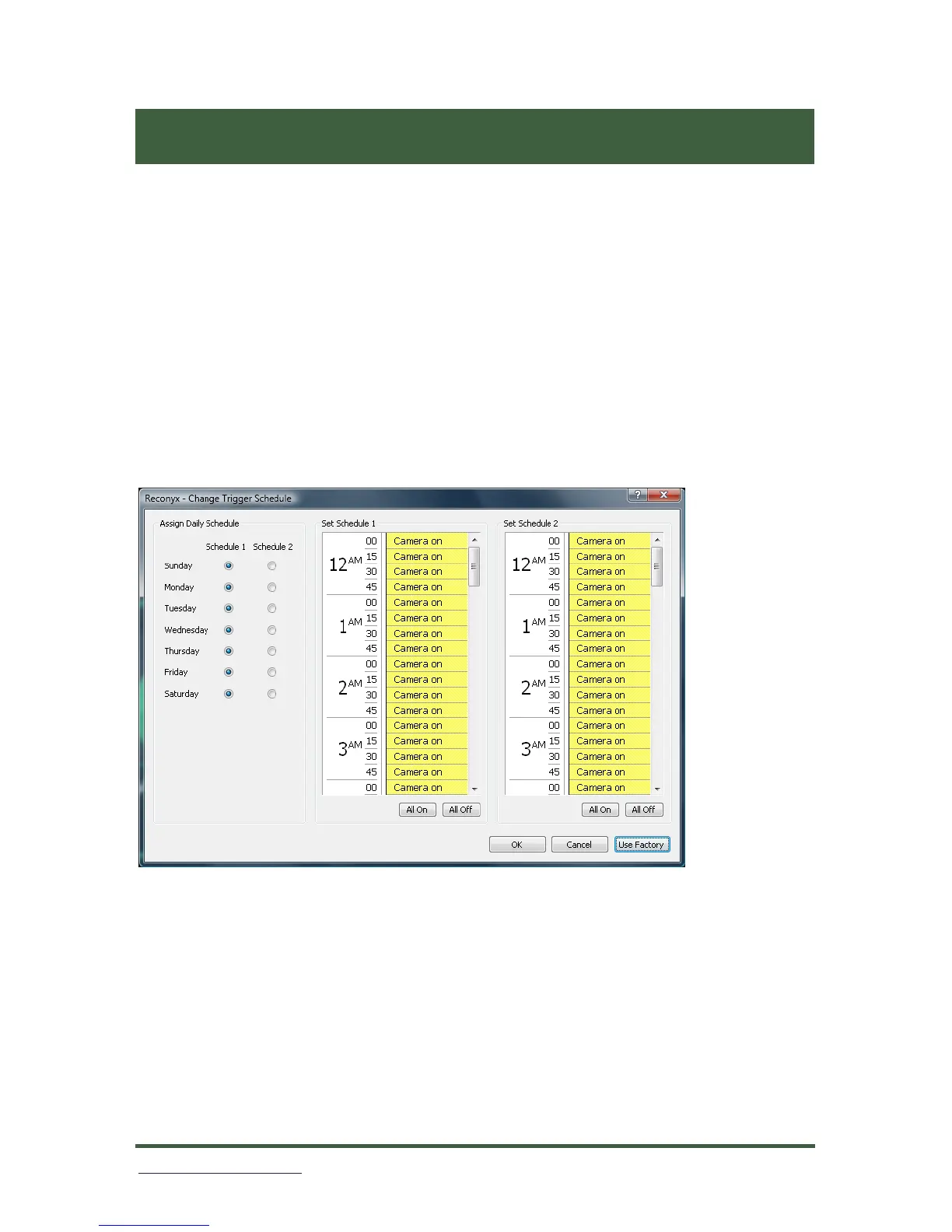
The schedule software opens the first time with the factory default
schedules. The default schedules have the camera on 24 hours a day, 7
days a week.
There are two schedules available for each day of the week that can be
assigned to either Schedule 1 or Schedule 2.
The most common reason for multiple schedules is to handle weekends
differently than weekdays. For example, you can run a weekend schedule
separate from the rest of the week by setting Monday through Friday to
“Schedule 1” and Saturday and Sunday to “Schedule 2”.
During normal working hours during the week, you may not want to take
pictures of legitimate activity; but want the camera on after everybody
leaves. Likewise, if nobody is around on weekends, you may want it to take
pictures all day. You can do both by setting up Schedule 1 and Schedule 2
like the example below.


 To Next Page