5. Router Table Assembly - cont.
Attaching Router to the table
1. It is advisable to have another person
help you when installing the router on the
table.
2. Tilt the table to 45° to install the
portable router. Lock the table in the
tilted position by moving the table tilt
lock levers into the lock position.
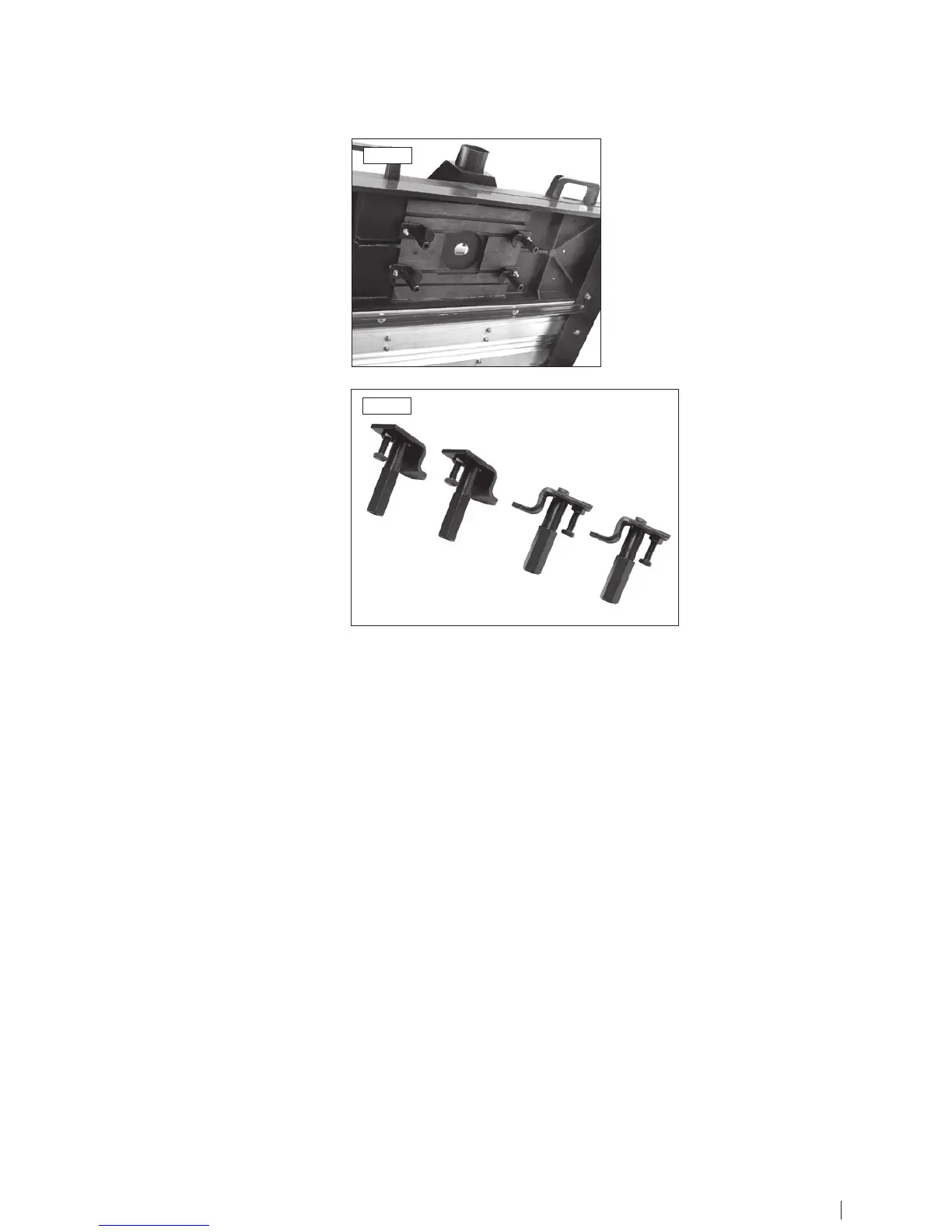
3. Insert the head of the four screws of
the clamping plate sets into the T-slots
on the underside of the table as shown.
4. The router spindle is then fed through
the hole in the table.
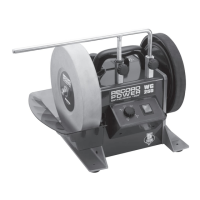
5. Adjust the flange thickness adjustment
screw so that the clamping plates fit on
the flange of the portable router.
6. Tighten the clamping plates on to the
router by using an open ended wrench to
turn the hexagonal shaft of the clamp.
Router clamping plate set - Fig.2.2
Flange thickness adjustment screw and
hexagonal shaft.
Fig.2.1
Fig.2.2
10 11


 To Next Page