10
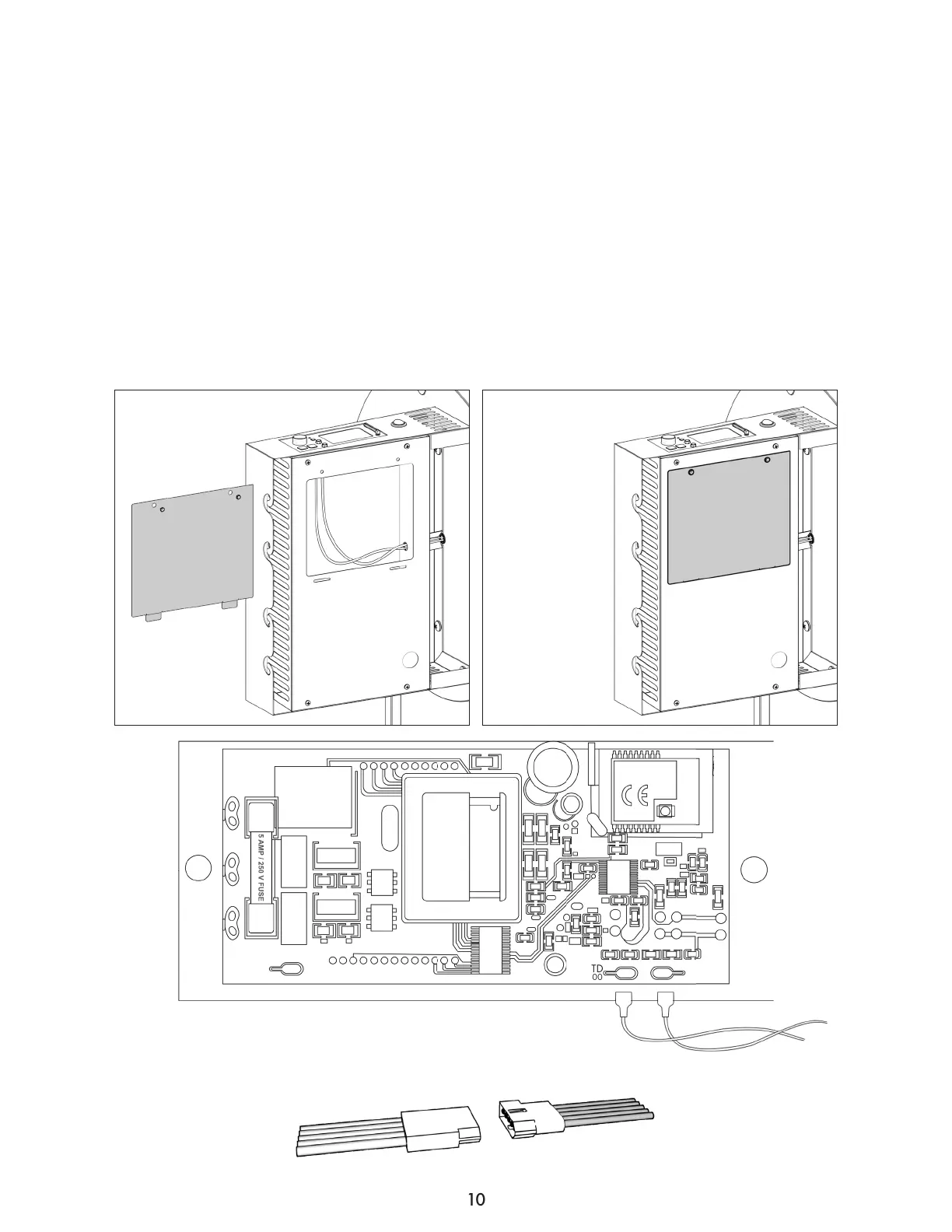
Install RTD Wires to Smart Grill Technology
TM
Controller
Step 7
Locate the access panel underneath the side shelf (8) and open it by removing the two screws. Feed
the two white braided RTD wires inside through the grommet hole.
Plug the two white braided RTD wires onto the tabs labeled ‘RTDpt1000’. (Wires can attach to either
connector)
Slide them firmly onto the connectors and be careful to not touch any other parts of the circuit board.
Replace the access door with the two screws.
Connect the wiring harness from under the Smart Grill Technology™ controller shelf to the grill body
wiring harness.
Grill Side
Shelf Side
TYWE1S 1703181
RoHS
P/N:2.01.01.10004
FOC ID: 2AFNLTWYE18
V 1.6
2017. 10. 10
HOT
RTD
pt1000
FAN
AUG
IGN
COM
Wiring Harness
controller (back view)


 To Next Page