14
Using MIDI
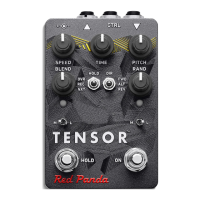
The Tensor is a class-compliant USB device, which allows you to:
• Control all parameters of the Tensor
• Access additional hidden parameters
The Tensor can work with any USB MIDI host, including:
• Macintosh and Windows computers. The Tensor shows up as a MIDI device and is available to all pro-
grams.
• Apple iPad, iPod touch, and iPhone using the Lightning to USB 3 Camera Adapter. We provide
TouchOSC templates for download from our web site.
• Standalone USB MIDI hosts allow you to connect the Tensor to hardware with 5-pin DIN MIDI connec-
tors without the use of a computer. Examples include:
Disaster Area Designs Gen3 MIDI controllers with their gHOST option
iConnectivity iConnectMIDI4+
Keith McMillen Instruments MIDI Expander
Kenton MIDI USB Host MkII
The Tensor receives in omni mode (all channels) and transmits on MIDI channel 1.


 To Next Page