41
12-MENU ENTRIES AND OPERATION
Technical Dept. - All rights reserved - Reproduction is prohibited
SETTINGS MENU
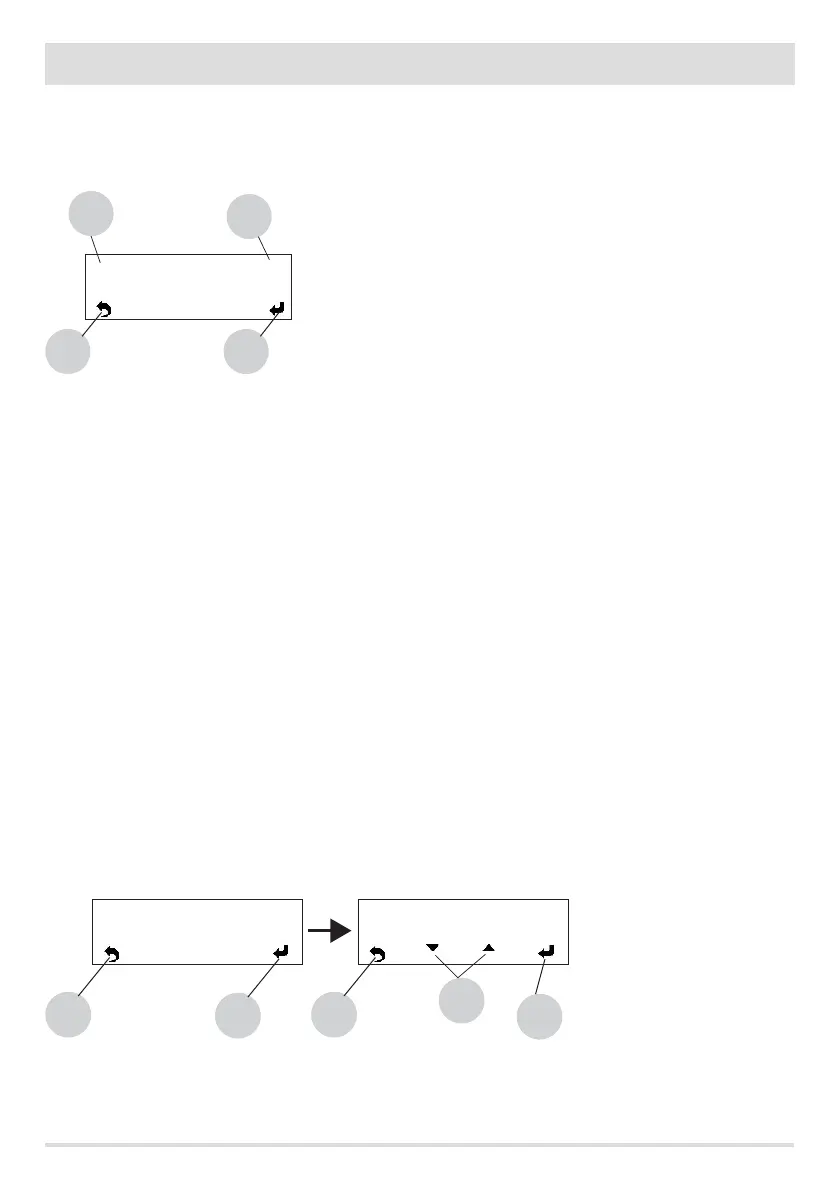
The SETTINGS menu is for conguring use of the boiler. With keys 1 and 4 in the menu, select the SETTINGS control. Use key 5 to go to the
settings menu and select the option you want to congure (see the list below).
a. Language.
b. Cleaning (shown only when boiler is o).
c. Feed screw loading (shown only when boiler is o).
d. Tones
e. External thermostat (activation).
f. Auto Eco (activation).
g. Eco Turn-o T (default 10 minutes)
h. Pump on T (default 50°C).
i. Auxiliary boiler (default deactivated).
j. Pellet recipe.
k. Fumes rpm % ventilation.
l. Maximum power (1-5 - default 5).
m. Component test (shown only when boiler is o).
n. "Chimney sweeper" function (can be enabled only when boiler is on, for checking emissions in eld).
o. System conguration (factory settings: system 02).
p. Season
q. Technical menu.
NOTE: Some of the options listed above cannot be enabled in certain "system congurations".
a - Language
With keys 1 and 4 inside the menu, select the SETTINGS control. Use key 5 to go to the settings menu and select the Language option. Then
with keys “b” (arrows) choose one of the available languages, press 5 to conrm, while with key 8 you will go back to the main screen. The
available languages are: IT/EN/DE/FR/ES/NL/PL/DA/SLO
8
< Settings >
5
1
4
8
Language >
5
Gb
8
Language >
5
Gb
b


 To Next Page