AMB. H2O +TC- DISPLAY
SERIAL
SIC
DEP.
FUMI SCA
COC. N
ACC.
F N
PE
TERM.
OPT.
+5V GND ENC
ENCODER FUMI
42
10 - MENU ITEMS AND FUNCTION
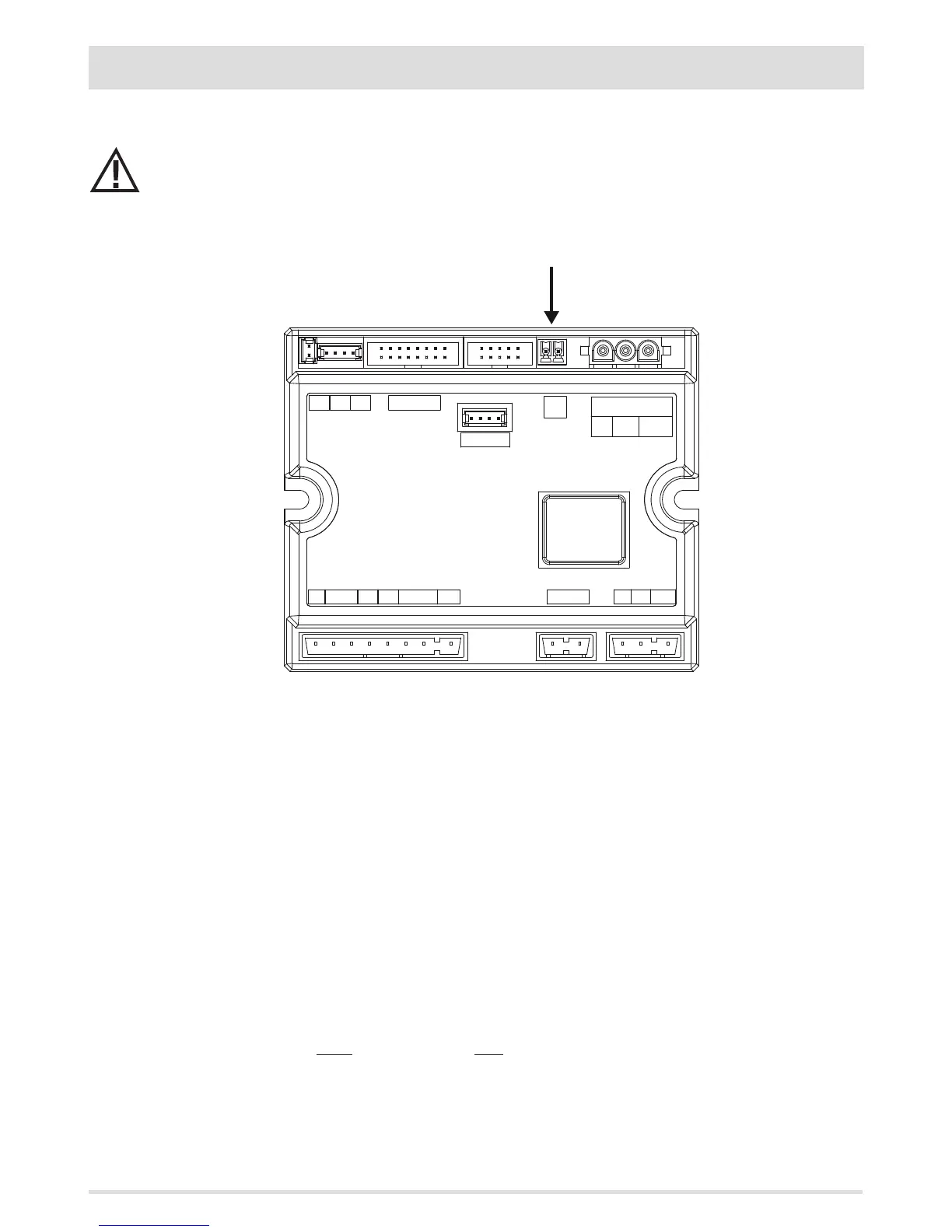
EXTERNAL THERMOSTAT CONNECTION (optional)
The room thermostat is not included with the stove and must be installed by a qualied technician.
ATTENTION!
The electrical wires must not come into contact with the hot parts of the stove.
The temperature of the stove can also be controlled by an external room thermostat. It should be positioned centrally in the room where
the stove is installed. It provides a closer match between the heating temperature requested of the stove and the actual room temperature
it provides.
Connect the cables coming from the external thermostat to terminal “Term opt” on board N100 on the stove.
Enable the external thermostat (factory settings OFF) as follows:
• Press the “menu” key.
• Scroll with the arrows to “Settings”.
• Press “menu” to select.
• Now use the arrows to scroll to “External thermostat”.
• Press ‘’menu’’ to select.
• Press the - + keys
• Select “On” to activate the external thermostat.
• Press the “menu” key to conrm.
• Press the “esc” key to exit.
Once the external thermostat has been enabled, instead of displaying the detected temperature from the probe on the stove, ON or OFF
will appear, depending on whether you have requested heat from the external thermostat or not.
ON if the external thermostat contact is closed, OFF if the contact is open.



 To Next Page