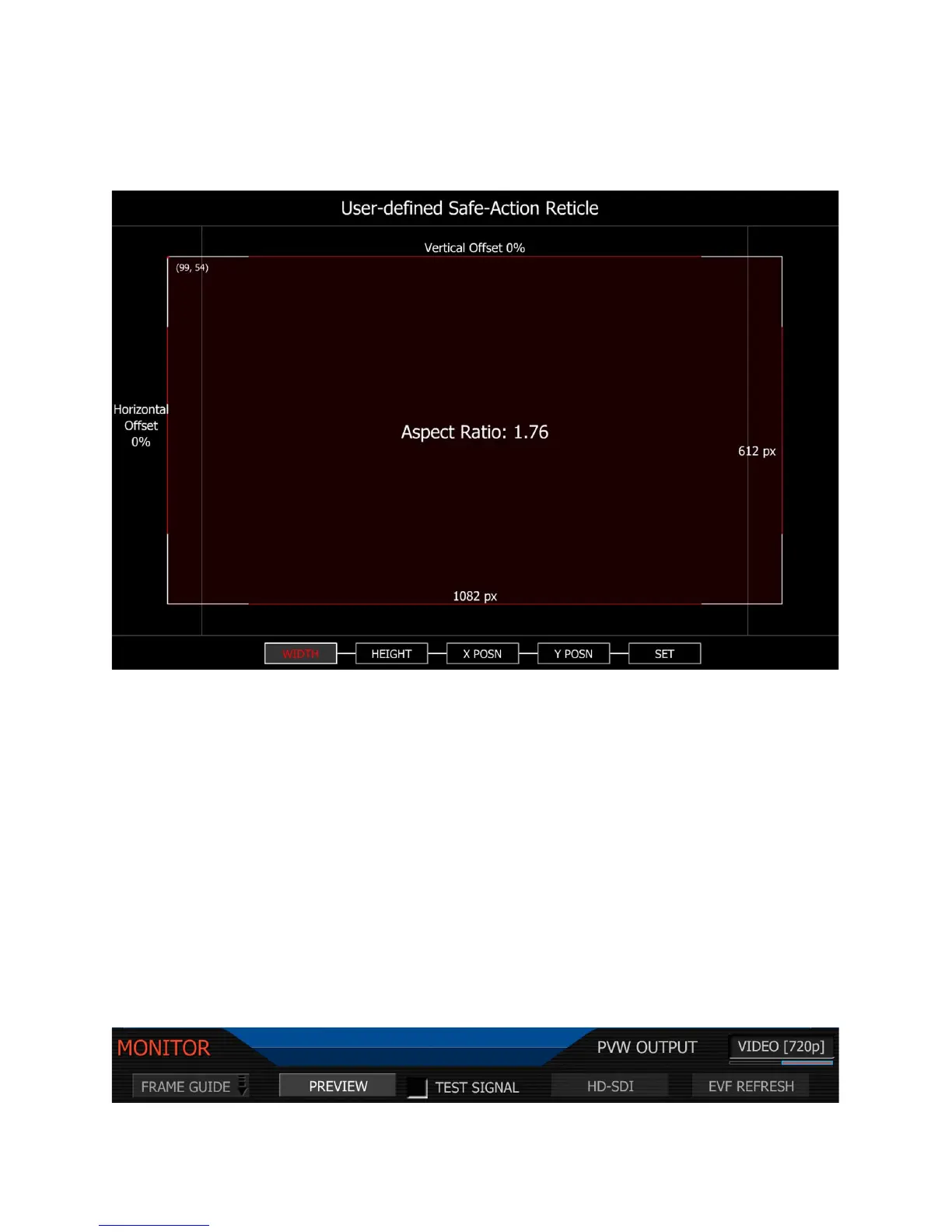
Height: Adjusts the height of the guide. Maximum height of the guide is 720 pixels.
Note: The camera will display the aspect ratio of the guide based on these two values.
X POSN: Adjusts the horizontal center position of the guide.
Y POSN: Adjusts the vertical center position of the guide.
Set: Press SET to save these parameters to non-volatile memory and exist this menu.
User Title: enables the user to program a custom Safe Title area. Operation is the same as for
USER ACTION areas. See above description.
Preview
This sub-menu selects the operating mode of the HD Preview output.



 To Next Page