Device Connection
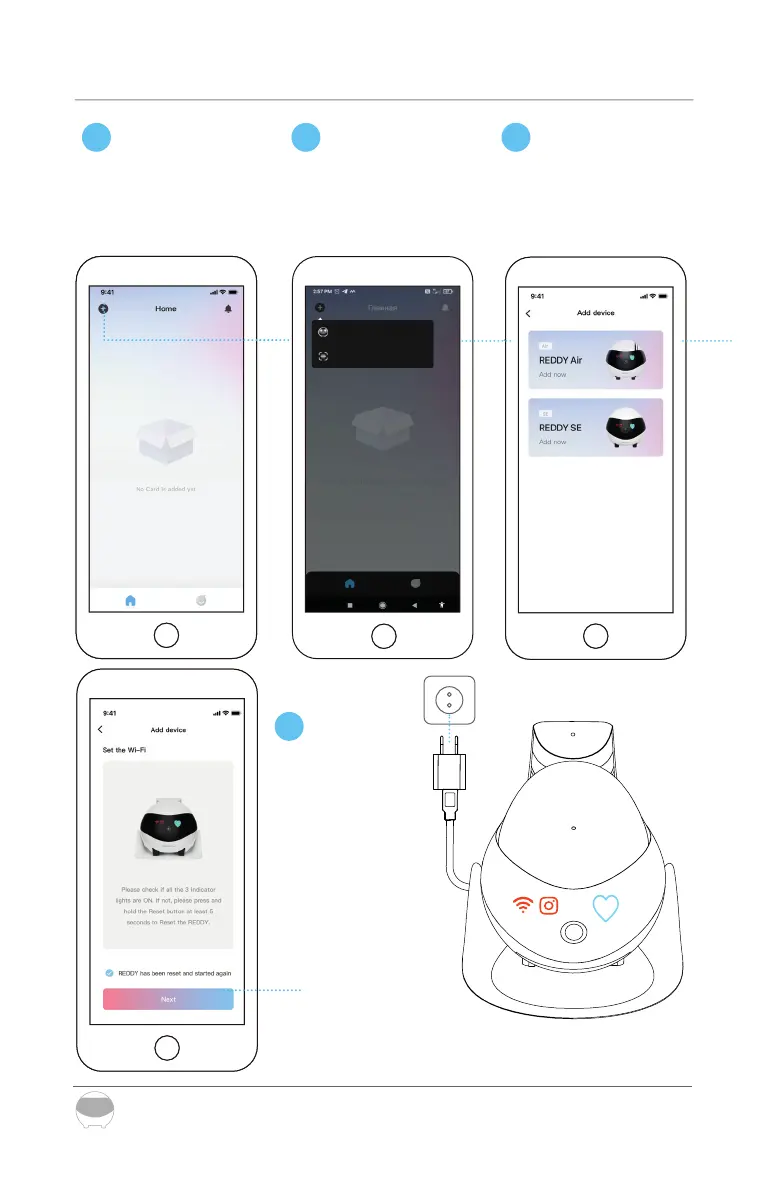
Place REDDY on the charging dock. If indicators are not lit, reboot the
robot's settings by pressing Reset button for 5 sec, then turn the robot
on by pressing Reset button for 2 sec
*Updates are ongoing and subject to the actual interface of the APP
16
Register on REDDY and
click ‘+’ to connect.
In the popup menu,
select the item
"Add new device"
Select device card for
REDDY SE.
1 2 3
Place REDDY
on the
charging dock.
Wait until
all indicators
are lit
(see the pic to the right)
4
Add new device
Scan QR code



 To Next Page