2 INSTALLATION GUIDE
Wall Mount
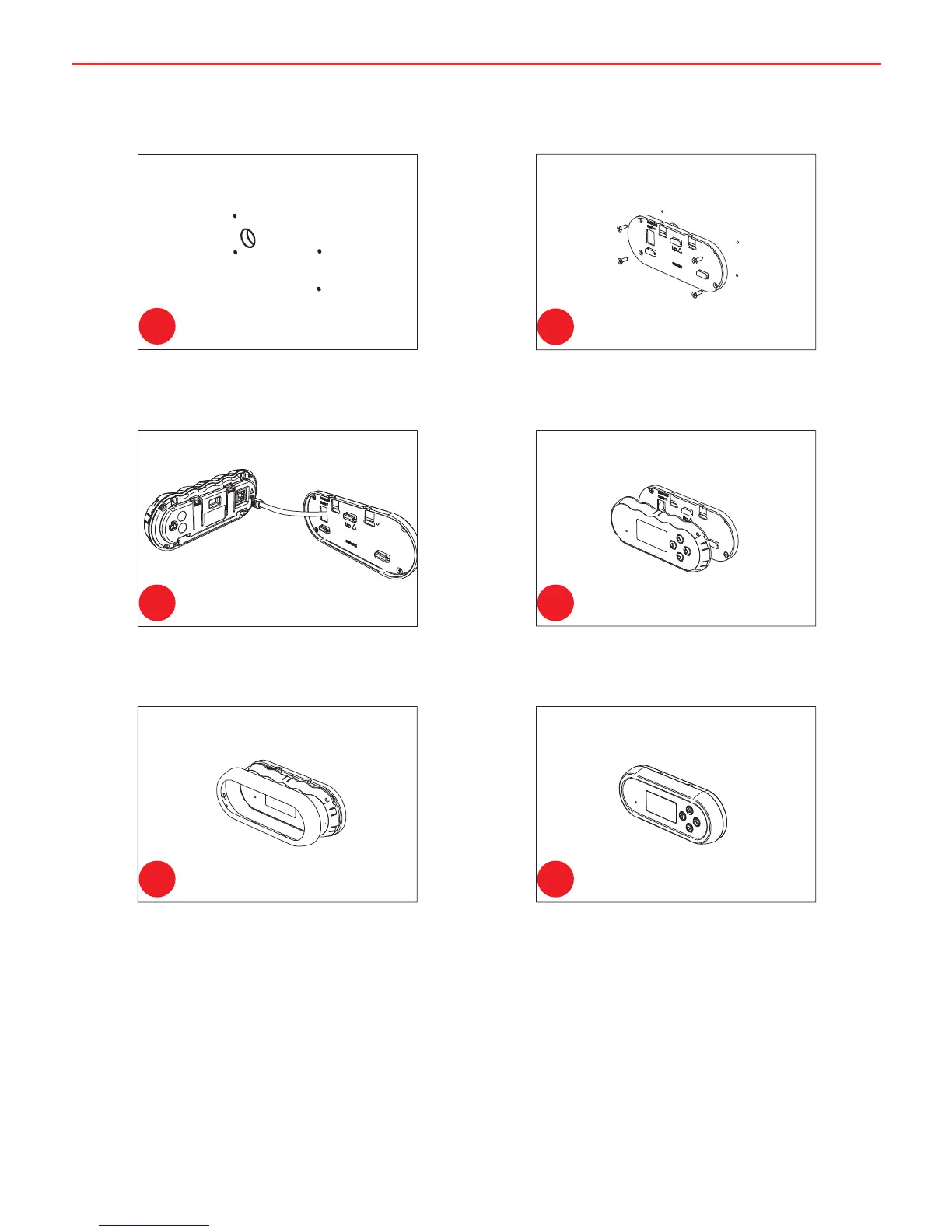
Use the template provided (Page 36)
to mark the position and drill and cut
the mounting holes into the wall.
Attach the Back Plate to the wall
using 4 suitably sized countersunk
screws.
Clip the Inner Assembly into the
Back Plate.
Clip the Front Face to the Inner
Assembly.
Feed the Remote Monitor cable
through the hole and connect it to
the Remote Monitor.
Figure 2.2.2.2 - How to wall mount the
Remote Monitor.
1
2
3 4
5 6
14


 To Next Page