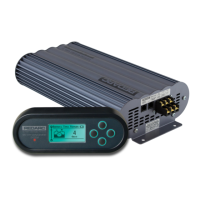
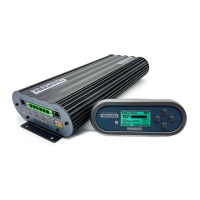
Need help?
Do you have a question about the Redarc GoBlock PPS12050 and is the answer not in the manual?
Covers hazards like unsecured GoBlock, tampering, flames, foreign objects, temperatures, incineration, crushing, submerging, and operating beyond ratings.
Addresses supervision for reduced capabilities and the importance of correct cable/fuse sizes to prevent harm.
Advises keeping the unit away from heat, voltage, sunlight, and recommends genuine connectors.
Explains signal words (WARNING, CAUTION, NOTICE) used to indicate hazard levels in the manual.
Guide to updating firmware and downloading the RedVision App for smartphone connectivity and control.
Recommends a full 24-hour charge before first use to equalize internal cells for optimal performance.
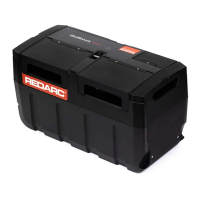
Details various input/output sockets (USB, Anderson, Merit, Fridge) and connection interfaces like PowerDock.
Covers external components such as Carry Handles, Battery Level LEDs, Storage Isolation Switch, and included chargers.
Details the multi-function Control Button and its LED indicators for operating the GoBlock and its various states.
Explains the Battery Level LEDs for charge status, alerts, recovery, and behavior in low battery conditions.
Instructions on how to turn the GoBlock on using the Control Button, with a prerequisite for the Storage Isolation Switch.
Steps to safely turn off the GoBlock using the Control Button, including a countdown sequence.
Details charging the GoBlock using AC mains trickle-charger and vehicle accessory socket trickle-charger.
Explains charging from a vehicle alternator directly and via the PowerDock, including cable sizing.
Covers charging the GoBlock using portable solar panels or blankets connected to the Auxiliary Anderson™™ Input.
Guide to connecting portable solar panels and blankets to the GoBlock's Auxiliary Anderson™™ Input, with connection and positioning advice.
Explains how solar panels wired to the PowerDock enable automatic GoBlock charging when docked.
Details the GoBlock's Recovery feature to charge a flat vehicle battery when docked in the PowerDock.
Instructions for using the Recovery feature to charge a flat vehicle battery via the Auxiliary Anderson™™ Input with leads.
Explains the automatic prioritization of charging sources (Solar, AC Mains, Vehicle power) for optimal energy collection.
Guide to downloading and installing the free REDARC RedVision App from app stores for smartphone control.
Step-by-step instructions for pairing the GoBlock with a smartphone via Bluetooth using the RedVision App.
Covers subsequent connections, pairing to multiple phones, and deleting all existing Bluetooth pairings for the GoBlock.
Details the RedVision App's home screen, widgets, and status indicators for remote monitoring and control of the GoBlock.
Guide on extending and retracting the GoBlock's carry handles, including safety precautions for lifting.
Crucial safety information on restraining the GoBlock during vehicle transport using appropriate equipment and methods.
Specific instructions and diagrams for using tie-down straps and anchor points to securely restrain the GoBlock.
Provides guidelines for inspecting, cleaning, and maintaining the GoBlock unit and its components, including important cautions.
Details the proper use of the integrated cable strain relief for the 50 A Anderson™™ Output to prevent connector strain.
Explains the purpose and correct usage of the Storage Isolation Switch for long-term storage or shipping.
Advises on ideal charge levels (40-70%) for storing the GoBlock and its monthly discharge rate.
Details how to connect an inverter to the GoBlock's Anderson Output, including wattage limitations and recommended setups.
Explains system 'Faults', general 'Alerts', and the role of 'Alert Codes' for identification and resolution.
Details specific alerts like 'Recovery Internal Fault', 'No Battery Connected', 'Over Temperature', and 'Under Temperature'.
Covers alerts related to 'Input Over Voltage', 'Input Reverse Polarity', 'Output Overcurrent', and 'Battery Level Critically Low'.
Addresses problems like the GoBlock not powering on or the Control Button showing a solid red fault indication.
Provides solutions for carry handles not retracting, protective covers coming off, and charging stops before 100%.
Solutions for the GoBlock not charging, not connecting to the RedVision App, or dropping Bluetooth connections.
Details battery capacity, voltage, chemistry, cycle life, weight, and dimensions for the GoBlock models.
Specifies the operating temperature ranges for discharging, charging, and over-temperature shut-down/derate.
Details maximum current, voltage, efficiency, and protection for all input types (Trickle-Charge, PowerDock, Auxiliary Anderson).
Specifies current rating, nominal voltage, and protection for Accessory, Merit, Fridge, USB, and Anderson™™ outputs.
Lists the safety and EMC compliance standards met by the GoBlock and its AC charger.
Guides users to the REDARC website for full warranty terms and provides regional contact information for support.
Provides crucial warnings on safe disposal of LiFePO4 batteries and shipping advice, categorizing them as dangerous goods.
Instructs users on locating the Product Serial Number on the main unit and its packaging.
Lists registered design and patent numbers for GoBlock and PowerDock in Australia, USA, Canada, and Mexico.
 General
| Battery Type | Lithium Iron Phosphate (LiFePO4) |
|---|---|
| DC Output | Yes (12V/10A) |
| Output Current | 10A |
| Protection | Over Voltage Protection, Over Load Protection, Over Temperature Protection, Short Circuit Protection, Low Voltage Protection |
| USB Output | Yes (5V/2.4A) |

 To Next Page