www.altronics.com.auRedback® Proudly Made In Australia8
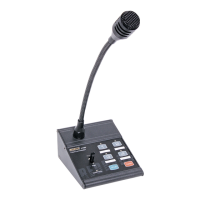
Redback® A 4488 Paging Console
connecting power to the A 4580 communicator via the euro blocks. Power is then fed through the CAT5e cables to supply
power to the paging consoles.
A maximum of six consoles can be connected at one time but only used in certain congurations. There are four RJ45
ports on the back of the A 4580 which can be used to connect the A 4488 paging consoles. Each port can accomodate a
maximum of 1 paging console without the aid of external power supplies.
Fig 9 shows how to connect one paging console per RJ45 port. When connecting the A 4488 paging consoles to the
A 4580 they must be set to ID3 - ID8. They cannot be set to ID1 or ID2.
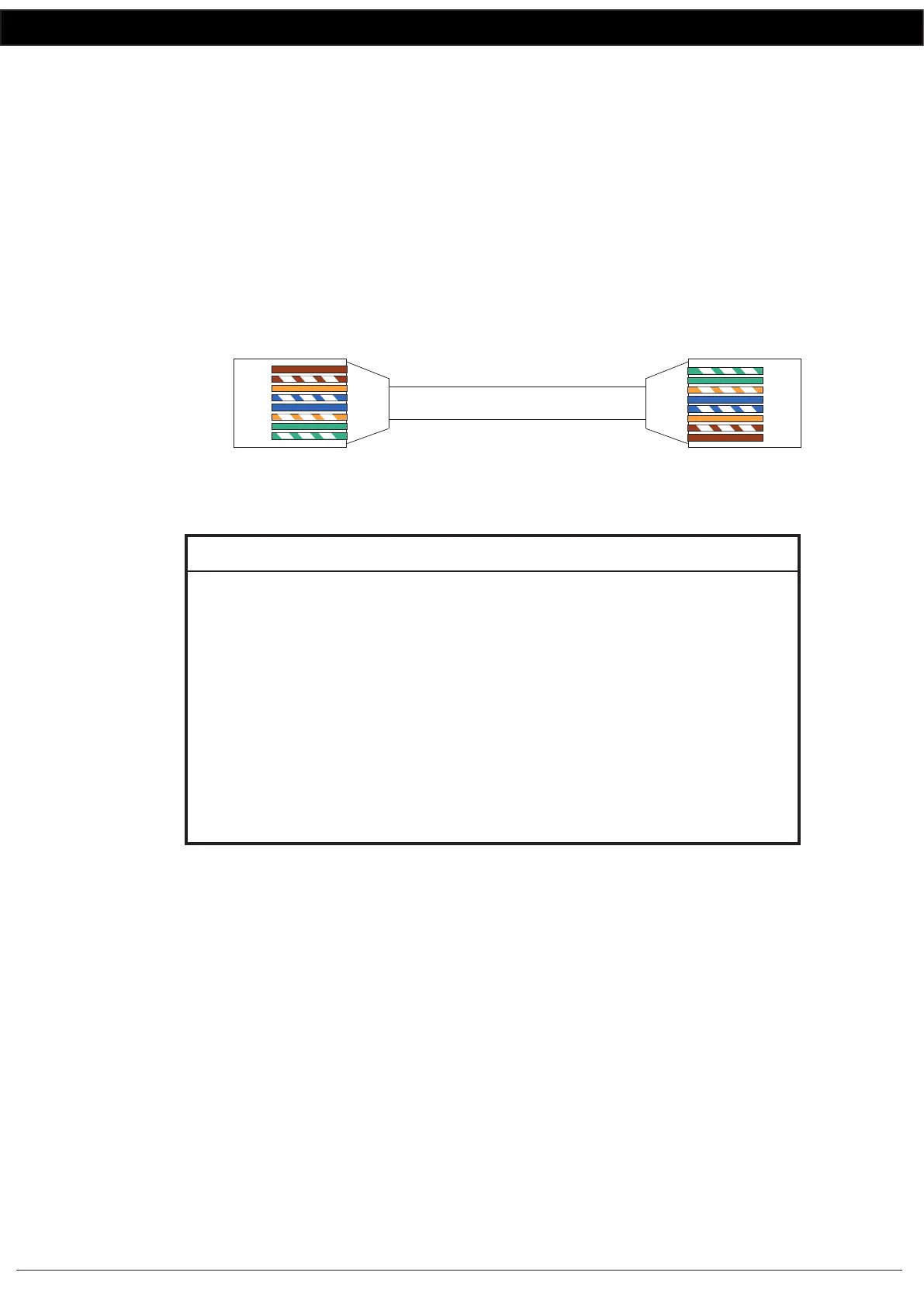
RJ45 cabling conguration (586A ‘Straight through’)
System components are connected using “pin to pin” conguration RJ45 data cabling as shown in g 10. When installing
ensure all connections are veried with a LAN cable tester before switching any system component on.
Failure to follow the correct wiring conguration may result in damage to system components.
and will Void the warranty.
Fig 10
11.0 Trouble shooting
12.0 Specications
OUTPUT MIC LEVEL:......................................................3mV
OUTPUT LINE LEVEL:.........................................................1V
BGM INPUT SENSITIVITY:...........................................500mV
OUTPUT CONNECTORS:
Audio Outputs: (A 4489A).............Euroblock terminal
Paging Console (A 4488):....................... RJ45 8P8C
INPUT CONNECTORS:
Line Out Box Input:................................. RJ45 8P8C
24V DC Power (A 4489A):..2.1mm JACK (centre +ve)
24V DC Power (A 4488):..2.1mm JACK (centre +ve)
CONTROLS:
Mic Volume:.........................................Rear Volume
Chime Volume:.....................................Rear Volume
BGM Volume:.......................................Rear Volume
POWER SUPPLY:......................................24V DC @ 1 Amp
DIMENSIONS:≈..................... A 4488 - 117W x 135D x 350H
DIMENSIONS:≈.......................A 4489A - 210W x 122D x 44H
WEIGHT: ≈....................................................A 4488 - 0.7 kg
SYMPTOMS REMEDIES
Paging consoles not responding
No audio out of A 4489A
No audio from zone terminals on
rear of A 4489A
No Background music
No Pre-announcement chime
No sound from Microphone
Make sure the ID’s are set correctly
Check Cat5e lead wired correctly
Check wiring to “Audio In” terminals
Check lead on BGM input of paging console
Check BGM volume
Check DIP switch settings
Check chime volume
Check Mic Volume
586A
1 RX+
2 RX-
3 TX +
4
5
6 TX-
7
8
Straight Through
(both ends)
Pins Face Upwards
1 TX+
2 TX-
3 RX +
4
5
6 RX-
7
8


 To Previous Page
 Loading...