GUI- 003 Knowledge Base- Resetting your Redback Inverter
Audience: Home owner Installer .
Version 1.0 - 27/07/2018 - Page 6 of 16
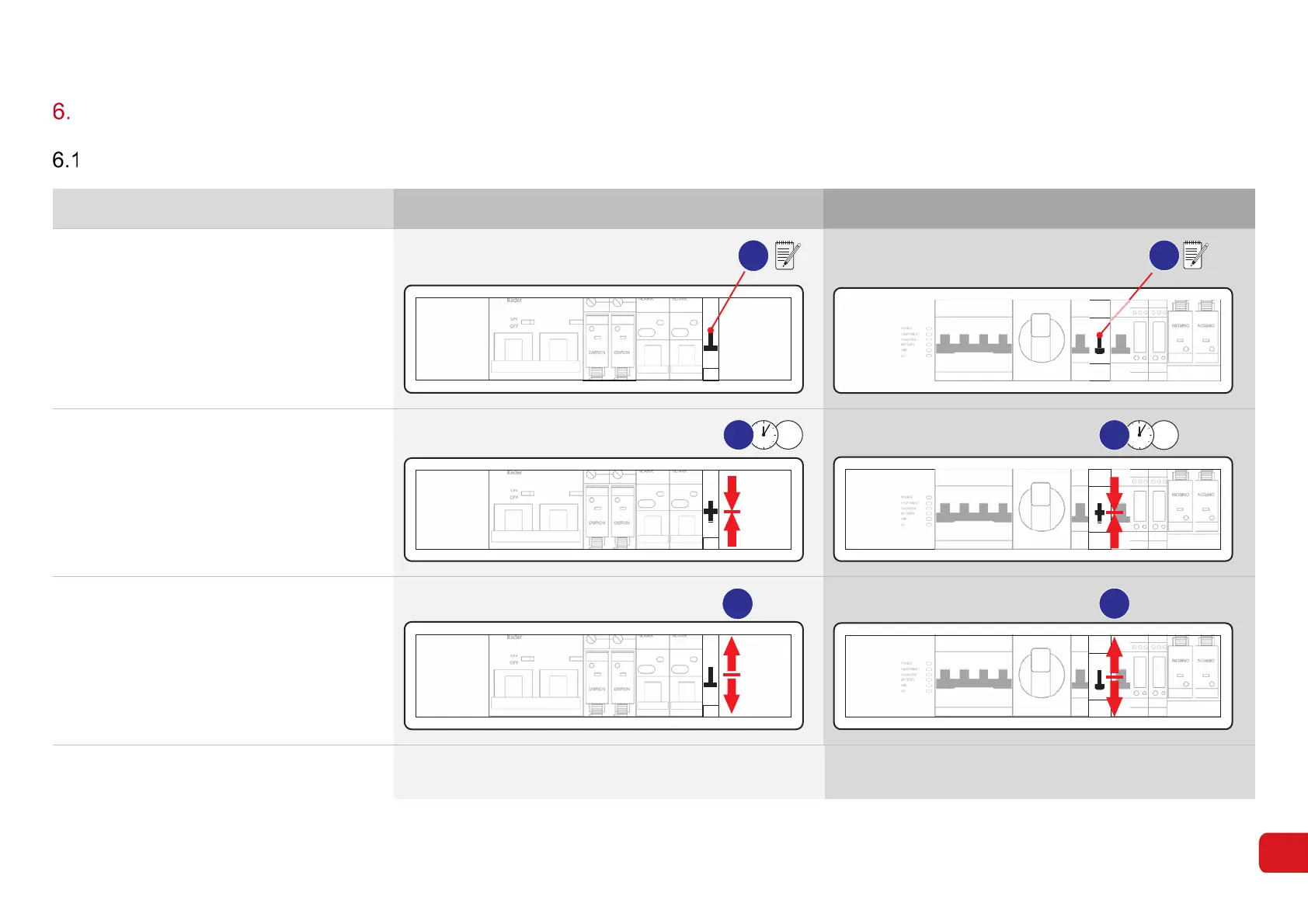
Resetting or restarting your Redback inverter
Soft reset
Step Procedure SH4600 (Gen 1) SH5000 (Gen 2)
1.
Open the access panel on the front of the
inverter.
Identify the three-position By-Pass switch.
Note the position of the switch.
☐ Up ☐ Down
Note: The switch must be returned to the
original position during restart.
OMRON OMRON
4600
NOARKNOARK
Nader
ON
OFF
ABB
1
POWER
HEARTBEAT
INVERT ER
BATTERY
WIFI
4G
OMRON
OMRON
1
2.
Set the By-Pass Switch to the middle
position (OFF). Wait 5 seconds.
OMRON OMRON
4600
NOARKNOARK
Nader
ON
OFF
ABB
5s
2
POW ER
HEA RTBEAT
INVERT ER
BATTERY
WIFI
4G
OMRON OMRON
5s
2
3.
Return the By-Pass switch to its original
position.
OMRON OMRON
4600
NOARK
NOARK
Nader
ON
OFF
ABB
3
POW ER
HEA RTBEAT
INVERT ER
BATTERY
WIFI
4G
OMRON OMRON
3
4.
The Inverter will resume normal operation in
approximately 10 minutes. Check the LEDs



 To Next Page