US-9
BCZ2460S/TS
U
S
6. Set up
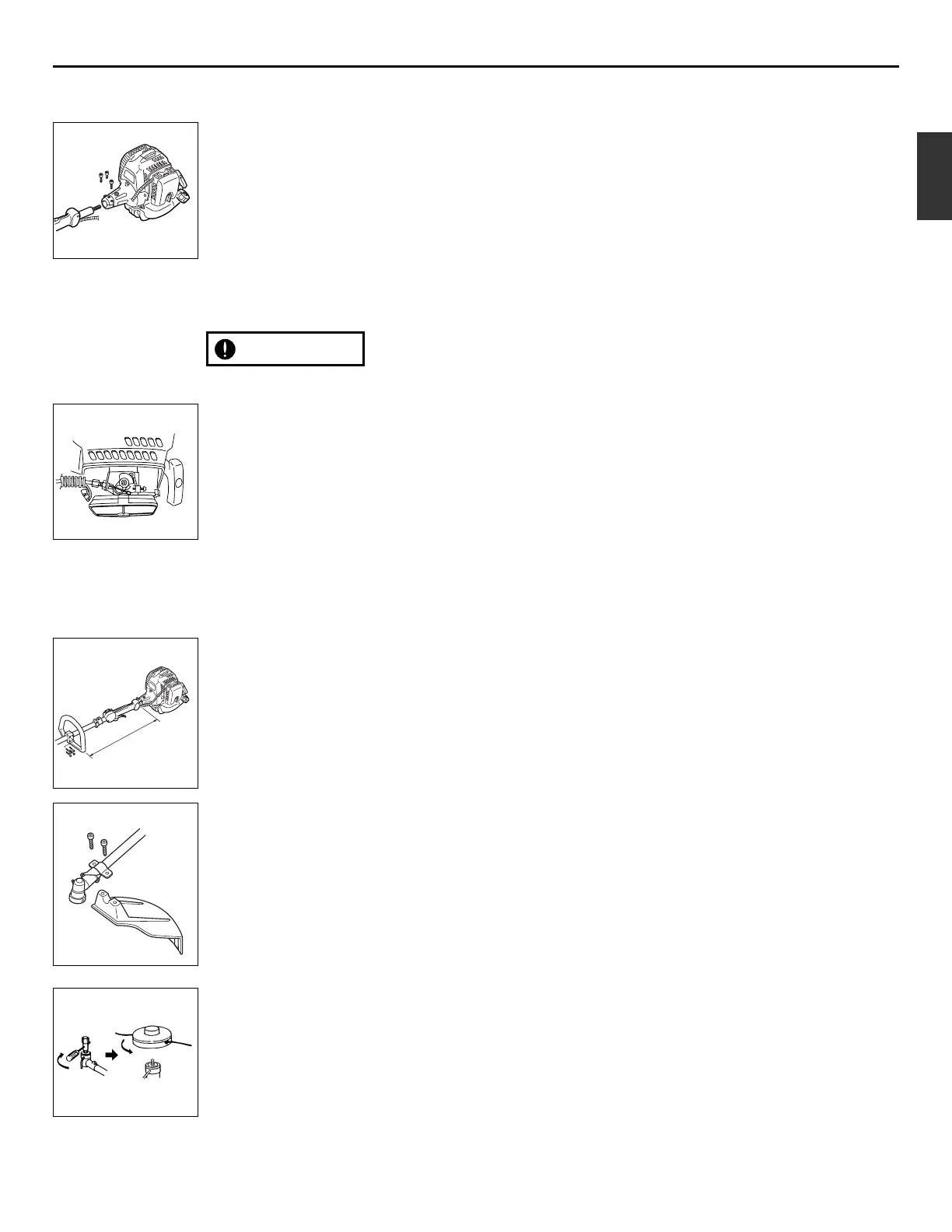
■ MOUNTING ENGINE (SE1)
1. Push the driveshaft housing toward the
clutch housing and rotate it by hand to
check that the driveshaft is engaged
with the gears.
2. Insert the driveshaft housing into the
clutch housing until it bottoms, and
align the positioning holes on the clutch
housing and the shaft tube and install
the screw. When difficult to engage,
twist the engine slightly.
3. Fasten the clamp securely with two
screws.
Tighten the screws gradually by turns.
■ CONNECTING THROTTLE WIRE
1. Remove the air cleaner cover.
2. Connect the end of the throttle wire to
the joint on the top of the carburetor.
(SE2)
■ CONNECTING SWITCH WIRES
• Connect the switch wires between the
engine and the main unit. Pair the wires
of the same color.
■ INSTALLING HANDLE
• Mount the handle to the shaft tube and
clamp it at a location that is comfortable
to you. (SE3)
(1) About 19 inches (48cm)
■ INSTALLING DEBRIS GUARD
• Attach the debris guard with the bolts
provided to the shaft. (SE4)
■ INSTALLING LINE HEAD (SE5)
1. While locking the gear shaft, by
inserting the supplied tool into the
upper holder on the gear box, loosen
and remove the hexagon nut(left-
handed)
2. Fit the line head assembly to the gear
shaft over the holders. Hand-tighten it
securely.



 To Next Page