27
USER INTERFACE / RUN
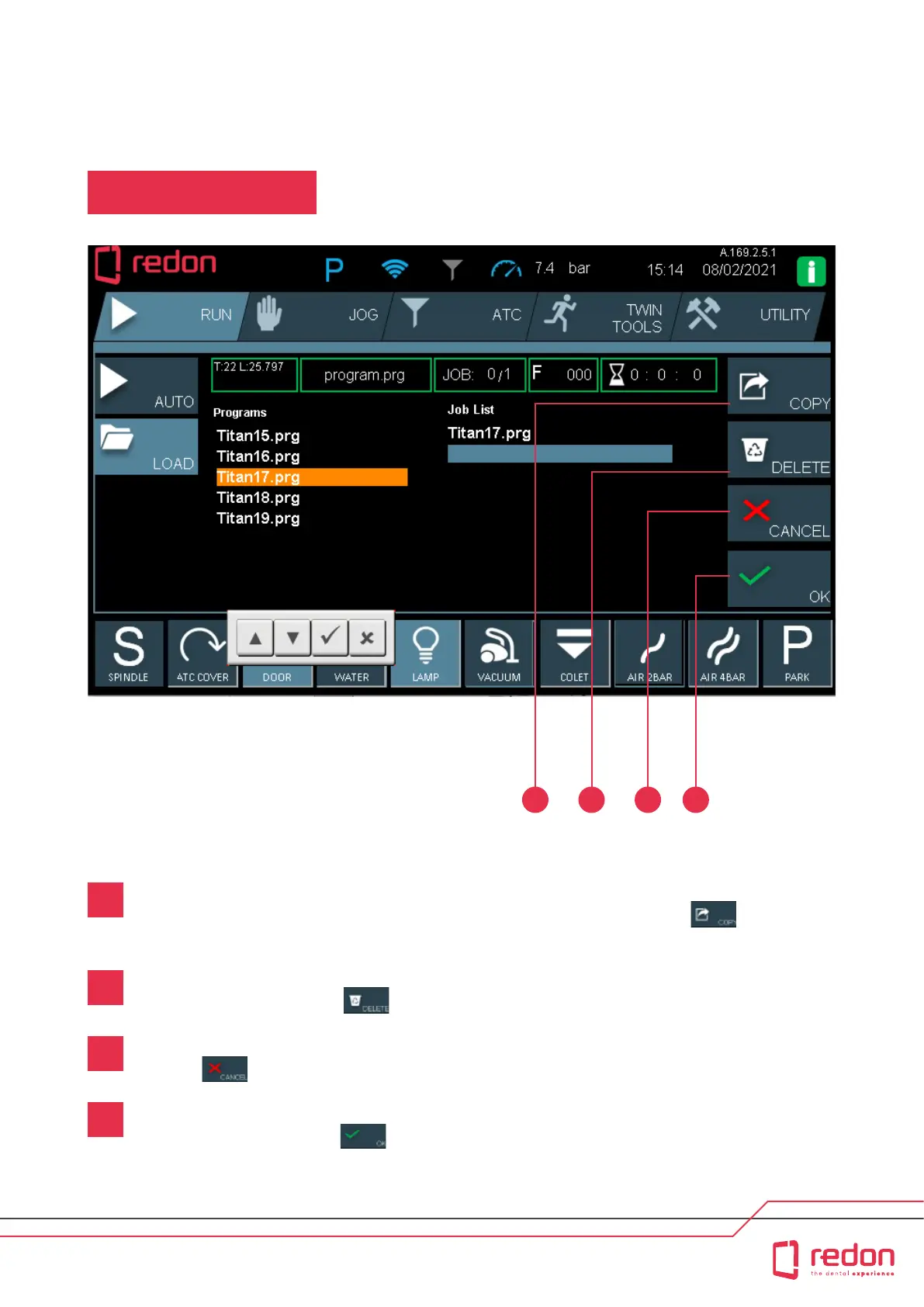
RUN Main Screen / LOAD
COPY: This buon allows you to copy programs from the Programs folder to the Job List (List of Programs to be
Processed). In the Programs folder, touch the program that you want to run and press the buon.
The selected program is copied to the Job List.
DELETE: This buon allows you to delete the programs in the Job List. In the Job List, touch the program that
you want to delete and press the buon. The selected program is deleted from the Job List.
CANCEL: This buon allows you to cancel operations. If at any stage you want to cancel an operation,
press the buon.
OK: This buon allows you to conrm operations. When you try to delete an item, you will be asked to conrm this
operation. In this case, press the buon to conrm deletion.
32 41
1
2
3
4



 To Next Page