29
USER INTERFACE / RUN
RUN Main Screen
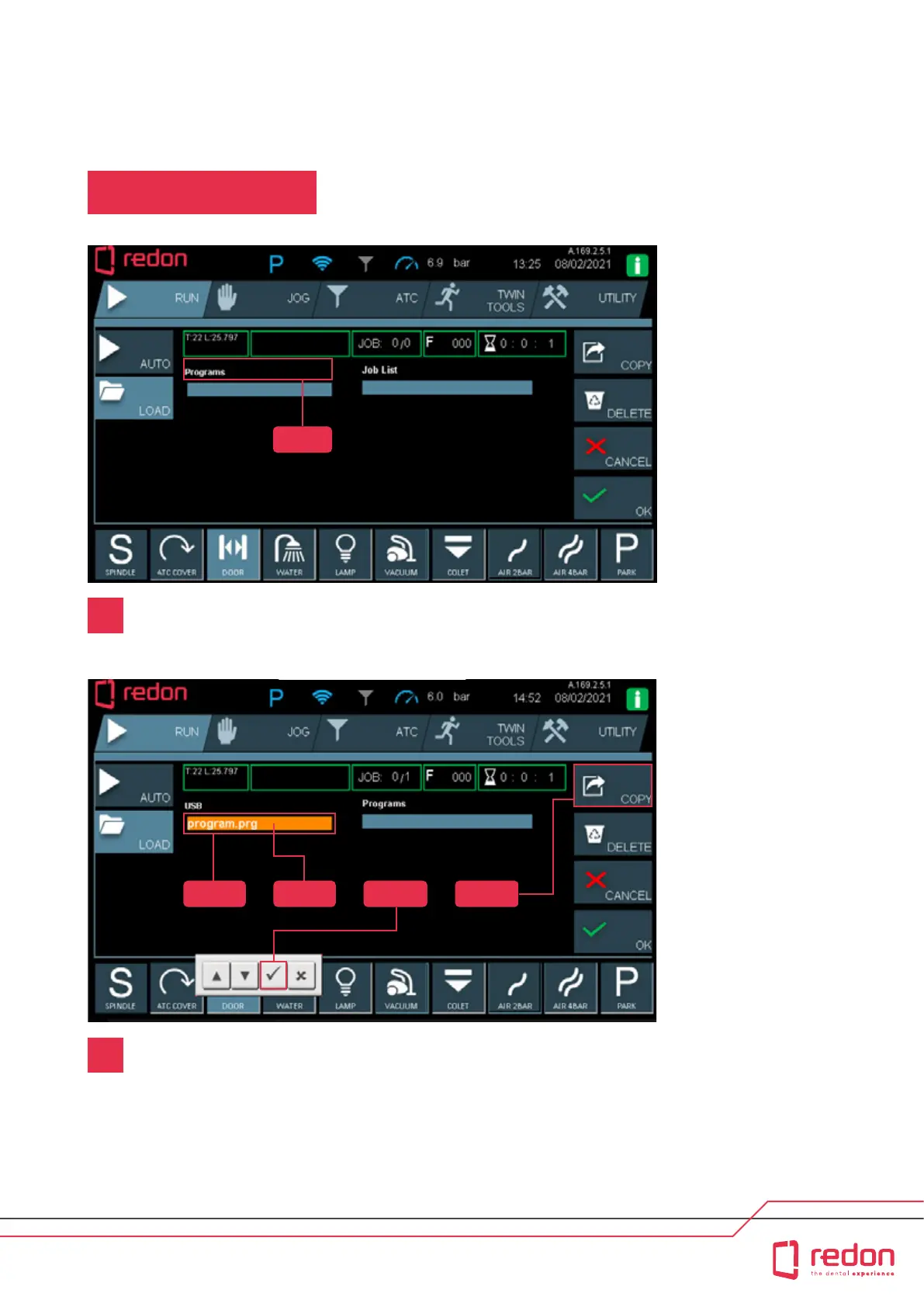
Step 1 : Touch (Programs)
Step 2: Make sure that the program with the (.prg) extension is selected under
the USB heading.
Step 3 : In the USB section, touch (program.prg)
Step 4 : Press the (ok) buon to conrm and then press the (copy) buon to
peorm the copying operation.
Step 5 : Aer you press the Copy buon, the le program.prg will be copied to
the (Programs) list.
Step 1
Step 2 Step 3 Step 4 Step 5
1
2



 To Next Page