32
redon.com
USER INTERFACE / RUN
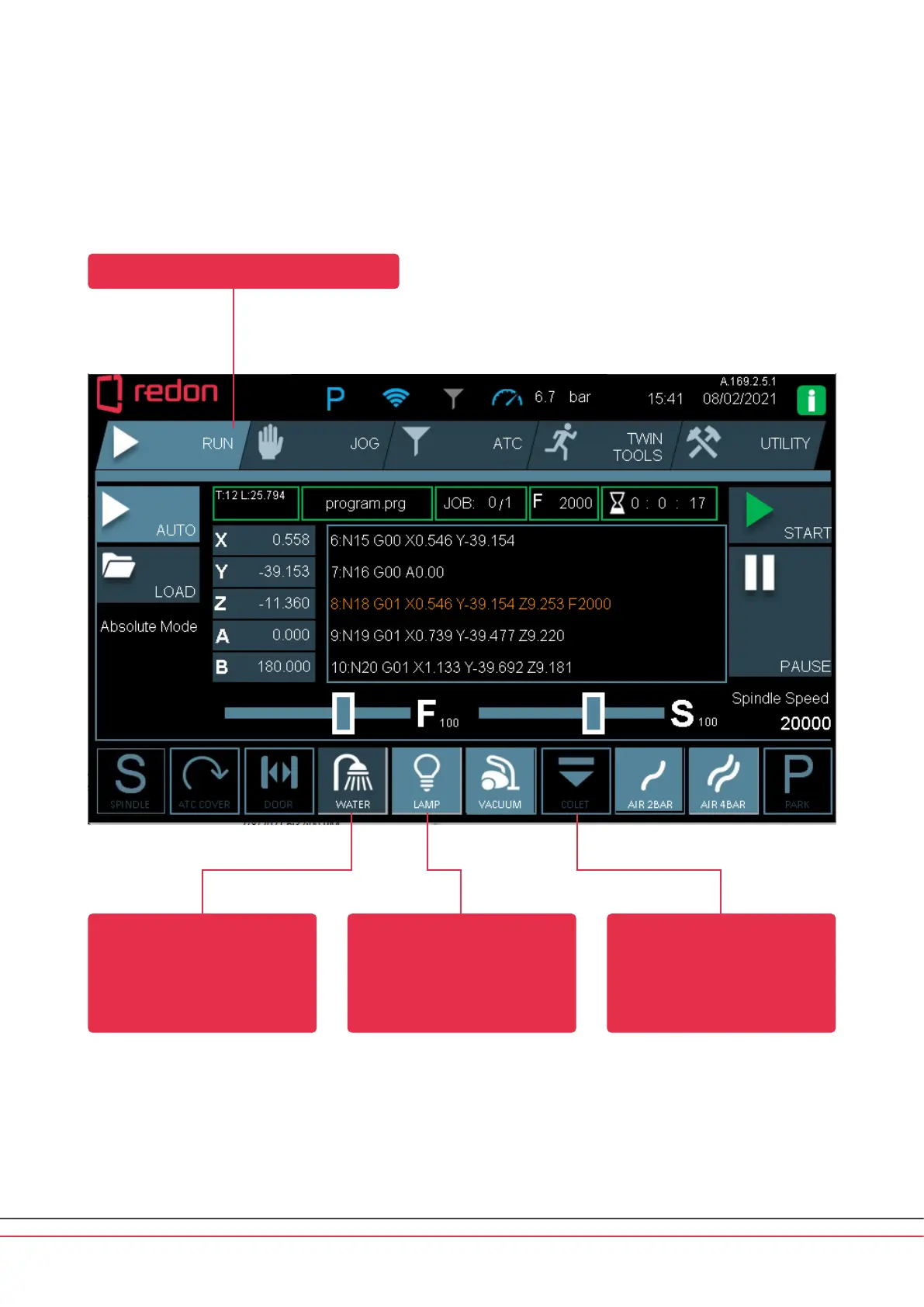
The selected menu is shown in a bright color.
Available functions are shown
in a dark color. These function
buons can be toggled on/o
by the user.
Active functions are shown
in a bright color.
Locked functions are shown in
black color. For safety reasons,
the machine may lock some of
the function buons depending
on the active operation.



 To Next Page