37
USER INTERFACE / RUN
RUN Main Screen / START
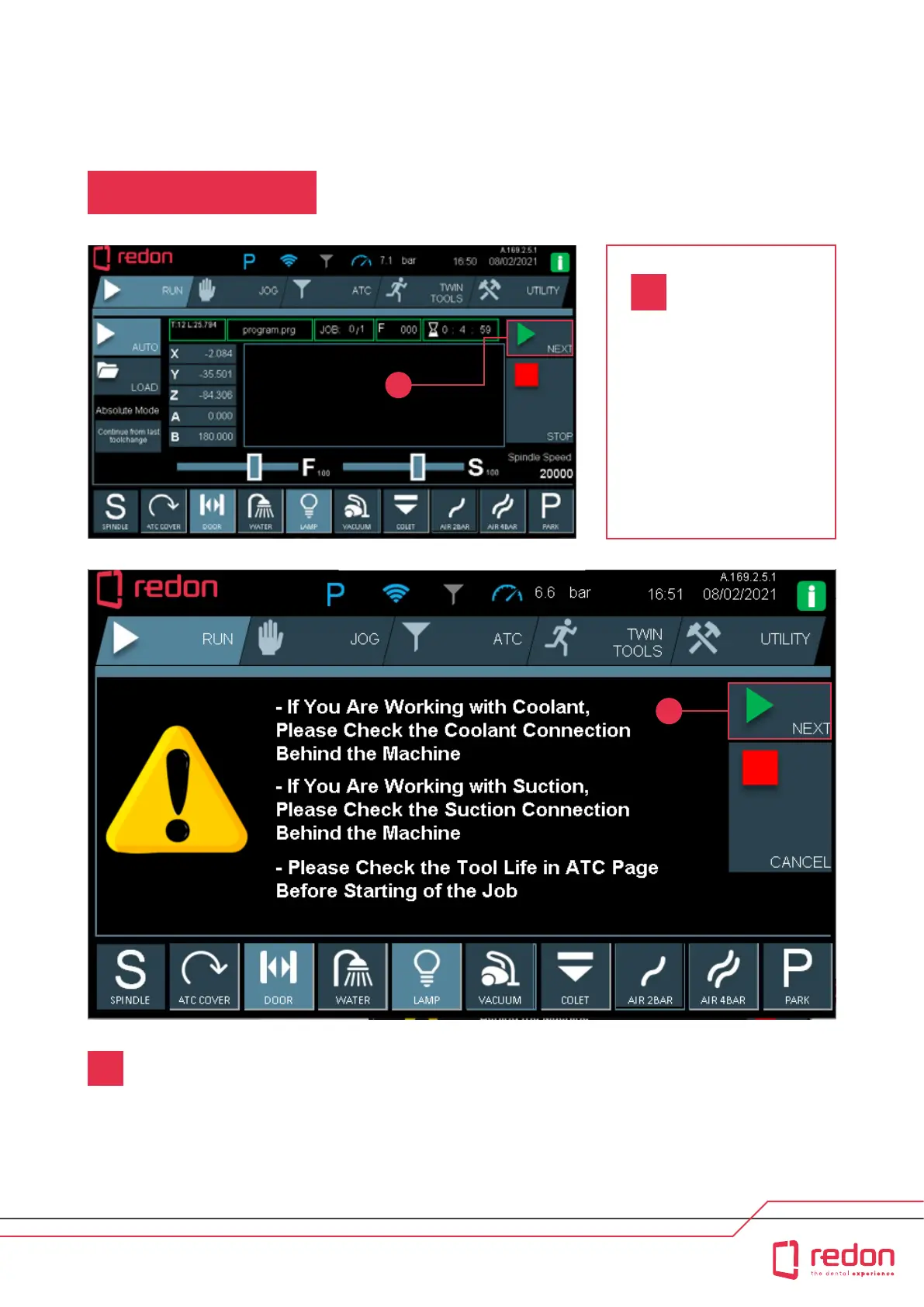
If wet processing will be peormed, check the connection between the water outlet at the back of
the machine and the water tank.
If dry processing will be peormed, check the connection between the air outlet at the back of
the machine and the vacuum.
Tool life details provided on the tool ATC page should be checked before processing is staed.
-
-
-
2
In the RUN/Auto tab, press
the NEXT buon to sta the
installed program. However,
the machine does not
immediately sta when you
press the NEXT buon. At
this point, warning prompts
are displayed to warn the
user about relevant issues.
1
1
2



 To Next Page