55
USER INTERFACE / ATC
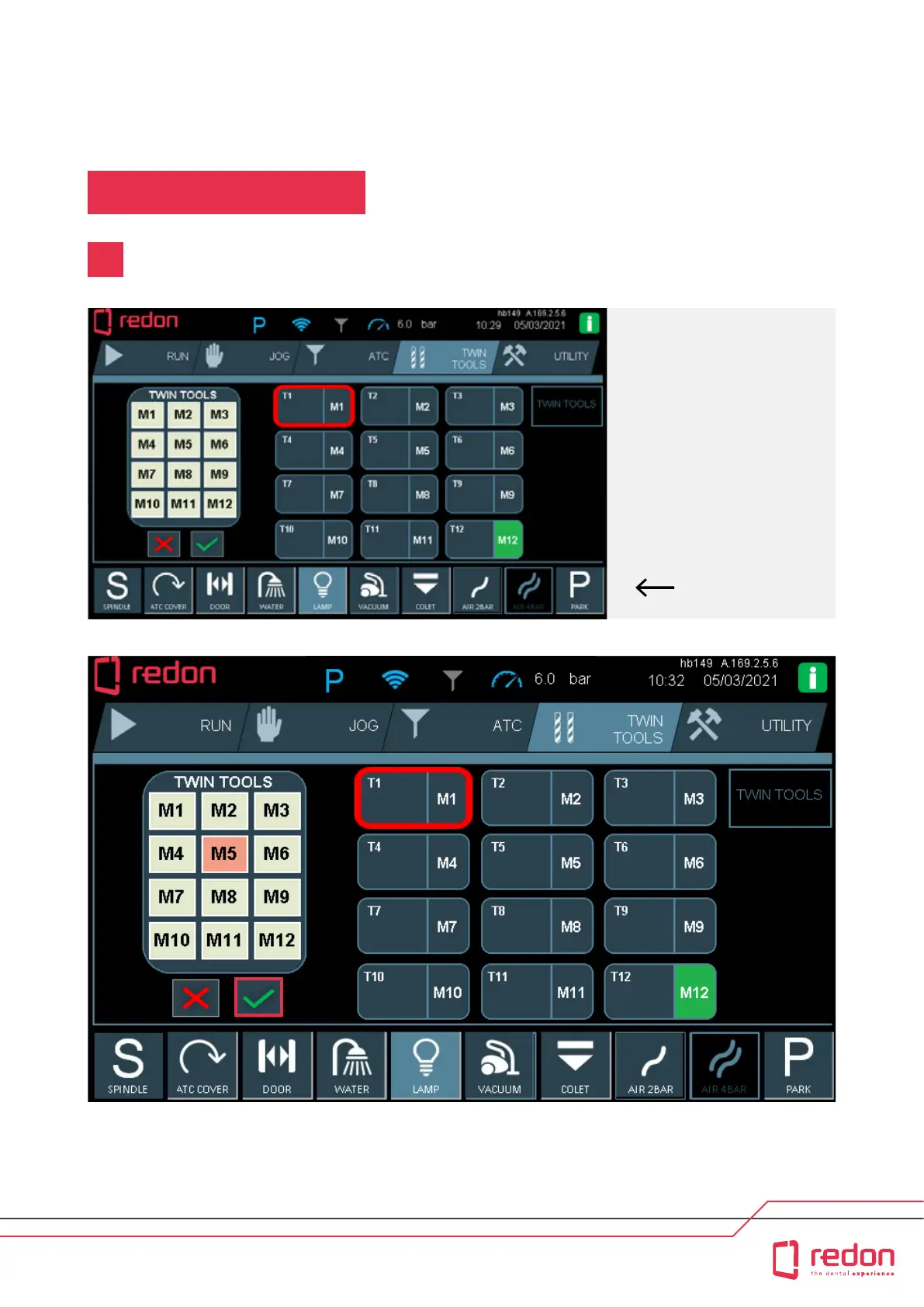
Aer you nish adding tools on the ATC page, go to the TWIN TOOLS page to assign twin tools.
2
For example, if you want to
assign tool no. T5 in place of
tool no. T1; When you touch
any tool buon, the selection
is encircled with red. The
area encircled in red on the
touchscreen corresponds to
tool no. 1. When you select
tool no. 1, the twin tools menu
appears on the le side.
The image shows that no
selection has been made in
the dropdown menu.
The image shows that M5 (5th position within the magazine) has been selected. This selection is indicated in orange.
Once you make your selection, press the “OK” buon to conrm the assignment operation.
Twin Tool



 To Next Page