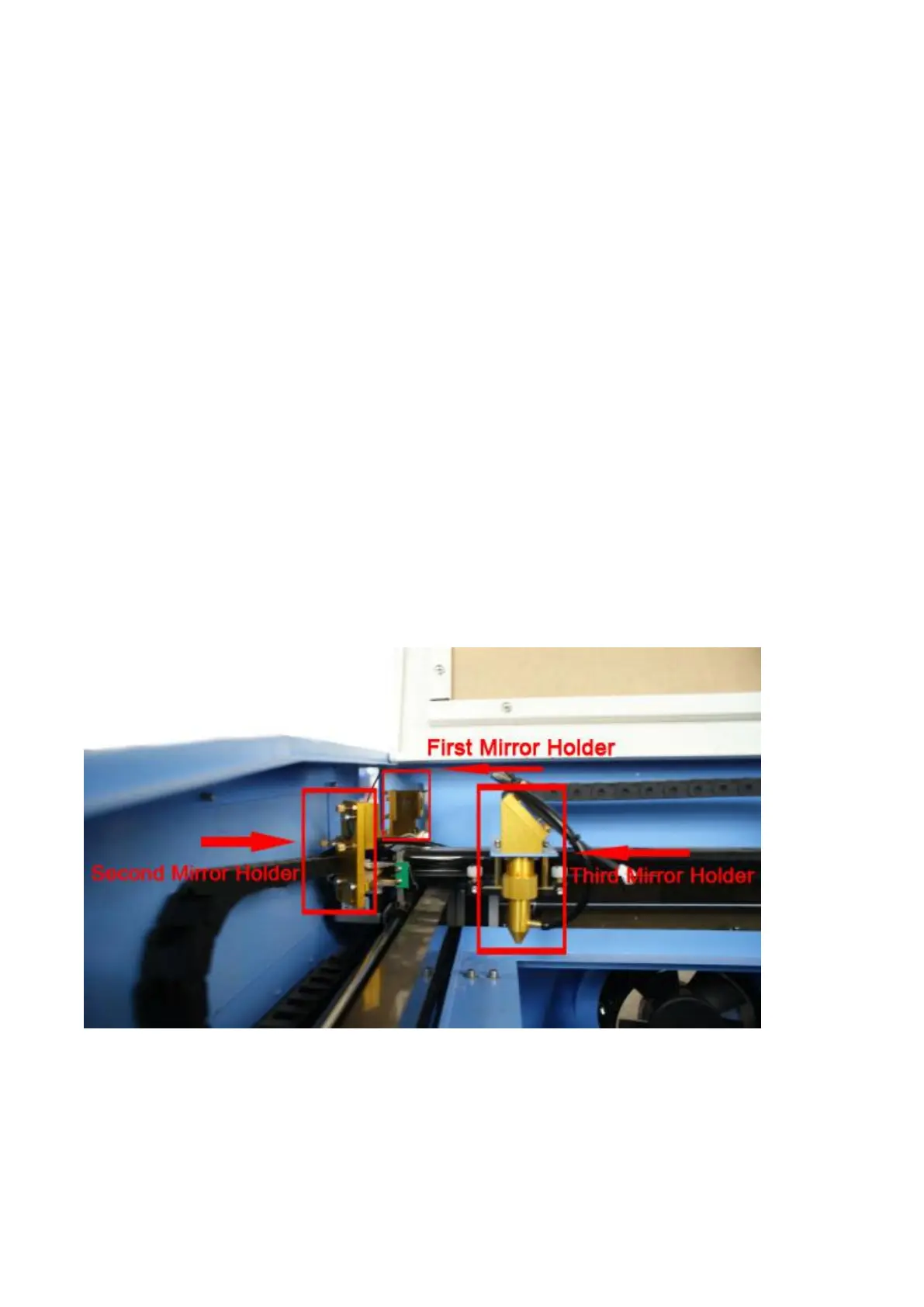
Adjustment of Optical Path
After connecting all accessories of the machine, please switch on the power of water
cooler (in front of water cooler), when the water inside the laser tube
circulate normally, then please switch on the machine(including Leakage
protector,Emergency switch and General supply switch)
Optical path adjustment:
Adjusting laser beam is the important step in use. After finishing of the adjusting
for optical path, you can engrave and cut sample. Optical path adjustment
directly affects the quality of engraving and cutting. Now just make the explaination for
one of optical path.
The first step: Regulate test power to below 50%, to keep the power not too high.
The second step: Optical path adjustment between laser rube and the first reflecting
mirror.


 To Next Page