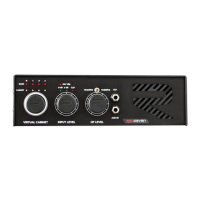
!
TROUBLESHOTTING
• D100PRE IS NOT TURNING ON
Check the power cord, sometimes it will be loose and cannot make good
contact with IEC socket. Replace it. If this doesn’t work check MAIN fuse, if it’s
blown replace with SAME type and try again to turn on again. If fuse continue
to blown, turn off the amp and contact RedSeven Amplificaton.
• D100PRE IS TURNING ON (RED LIGHT IS ON) BUT WITH NO SOUND
Be sure you turned on you power amplifier;
Be sure to connect D100PRE to you power amplifier;
Be sure to connect speaker cable properly, both power amplifier and cabinet.
Check the input signal from guitar too. If this doesn’t work check HT fuse, if
it’s blown replace with SAME type and try again to turn on again. If fuse
continue to blown, turn off the amp and contact RedSeven Amplificaton.
• D100PRE IS MAKE NO SOUND
If everything works properly be sure to have selected channel volume not at
0.
• I’M NOT ABLE TO SAVE A PRESET
Read “SAVING A PRESET” chapter and do meticulously what it’s wrote. You
have to follow any step and not swap them. Check midi cable and try to
replace it. Be sure to connect your sending devices via MIDI OUT socket and
D100PRE MIDI in socket and not vice-versa.
If for some reason this doesn’t work contact RedSeven Amplificaton.
• I’M NOT ABLE TO RECALL A PRESET
Be sure to set up your midi board or midi interface on midi channel 1. Any
other channel will not work and you will not able to recall a preset. Check
midi cable and try to replace it. Be sure to connect your sending devices via
MIDI OUT socket and D100PRE MIDI in socket and not vice-versa.


 To Next Page