21
Installation
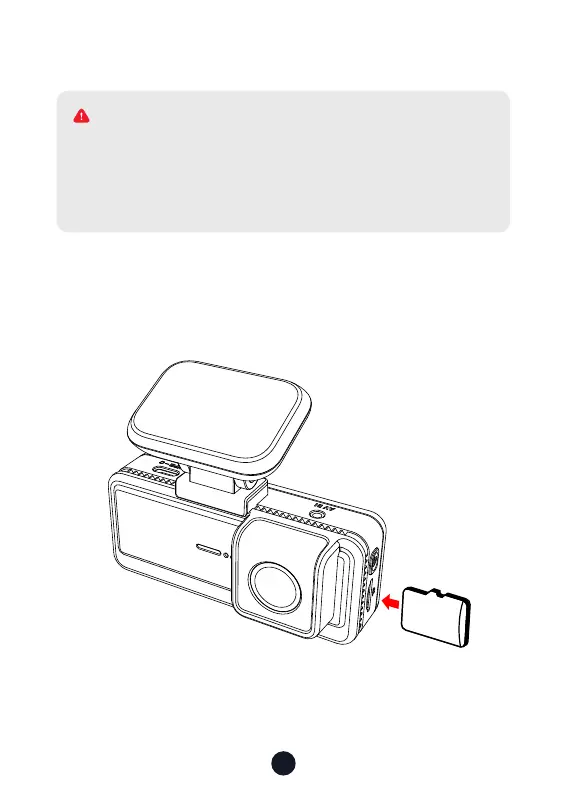
• Inse Memo Card
Inse the Memo Card into the dash cam, taking care that the
gold contacts are facing towards the screen of the dash cam.
Push the memo card until it clicks into the slot.
32
GB
Please make sure to connect all cameras and wires before
power on the cam screen, otherwise, the camera cannot
work properly. Please follow the instructions below for the
rst-time installation of the redtiger dash cam.
WARNING



 To Next Page