13
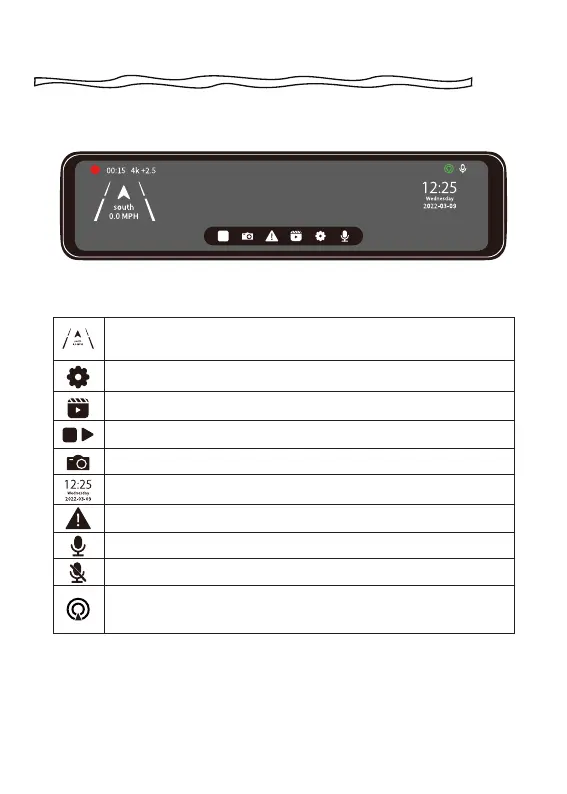
Speed & Driving Direction: Once GPS is connected, the
information will show
Settings: Touch to enter the menu setting
File Playback: Playback the video & Photo
Start/ Stop Recording
Snapshot: Take a Snapshot
Date & Time
5HFRUGLQJ6WDWXV<HOORZŶDVKLQJPHDQV/RFN5HFRUGLQJ
Audio Record is on
Button's beep sound status
GPS Status: Once the GPS signal is successfully received, the
icon will turn GREEN. Otherwise, it turns WHITE.
Meeting Your T27



 To Next Page