12
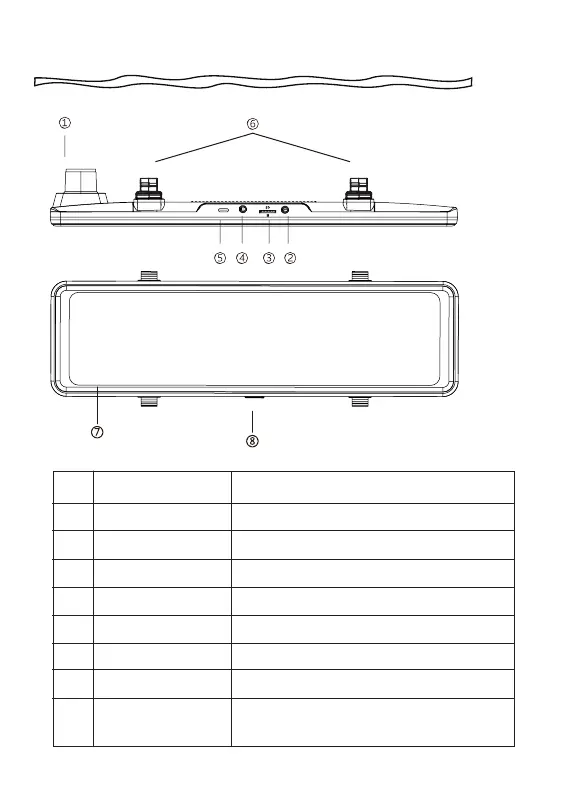
Meeting Your T27
NO. Name Description
Front Camera
GPS Port
Micro SD Card Slot
Rear Camera Port
Power Supply Port
Fasteners
Screen
Power Button
Record the front view of the vehicle.
Connect the GPS receiver.
Insert a Micro SD card (Preferably with a 128G SD card).
Connect the rear view camera.
Connect the car charger.
Please use the included silicone straps.
11.26 inch IPS touch screen.
Short press to turn off the screen, long
press to turn off the power.
1
2
3
4
5
6
7
8



 To Next Page