Pantone 534 Blue
Pantone 123 Yellow
Pantone 485 Red
Pantone 123 Yellow
Pantone 534 Blue
Black
Rich Black -
20/20/20/100
Blue - 100/80/30/5
Yellow - 0/27/100/0
Red - 10/100/100/5
Yellow - 0/27/100/0
Blue - 100/80/30/5
Only if you REALLY need them:
Pantone 534 Blue - 100/80/30/5
Pantone 485 Red - 10/100/100/5
Pantone 123 Yellow - 0/27/100/
INSTRUMENTS
Table of Contents
Safety ......................................................................................................... 2
Features ...................................................................................................... 2
Measurement Procedures .......................................................................3-4
Trouble-shooting Procedures ..................................................................... 4
Safety
To avoid eye injuries do not point the laser beam towards eyes or look
directly into beam. Remove the battery if the instrument is not being
used for an extended period of time.
Features
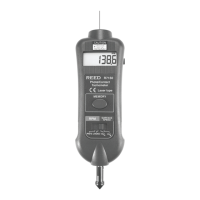
• Combinesmicrocomputer(CPU),photoelectrical,andjunctionlaser
technologiesintoonePhotoTachometer(RPM&REV)instrument
• Twotestmodes:Rotationspeedmode(RPM)&Revolution
countmode(REV)
• Providesfastandaccuratenon-contactRPMandsurfacespeed
measurements of rotating objects
• Offersawidemeasuringrangeandhighresolution
• Large,easytoreaddisplaywithbacklight
• Built-inmemoryrecallsMaximum,Minimum&Lastvaluestored
ForserviceonthisoranyotherREEDproductorinformationonother
REEDproducts,contactREEDInstrumentsatinfo@reedinstruments.com.
REED Instruments
1-877-849-2127 | info@reedinstruments.com | www.reedinstruments.com



 To Next Page