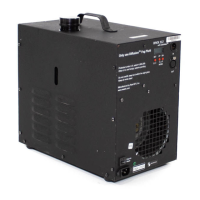
DF-50 Diffusion Hazer Operation
Page 10 of 10
Manual
Auto Mode (internal automatic control)
In the Auto Mode the user sets the desired percent of output proportionately to the number of seconds the
DF-50 will produce haze during its 100-second duty cycle. This can be done once you are in the “AUTO”
mode by simply pushing the buttons labeled “UP” or “DOWN” to change the value. For example: if the
operator desires to set the DF-50 to produce haze at 65% of the unit’s normal capacity (65 seconds during
its 100 second duty cycle) the operator would simply change the value up or down until the LED screen
indicated 65%. It is not necessary to press the “SET” button in this mode when changing the output level.
The unit will adapt immediately to the new setting. The unit will remain at this new setting until the output
percentage is changed again.
DMX Mode (lighting board controlled)
In the DMX Mode the user simply sets the control board slide bar proportionately to the desired percentage
of time the DF-50 will produce haze during the 100 second duty cycle. For example: if the operator desires
to set the DF-50 to produce haze for 25% of full output (25 seconds during its 100 second duty cycle) the
operator would simply position the lighting board control setting at approximately one fourth (¼) of its full
range.
Addressing the DF-50 DMX to the lighting control board console
To set the address for the lighting board control device the unit must be in DMX mode. Once you have
pressed the “SET” to be in the DMX mode you must press the “SET” button a second time to enter the
address selection. Using the “UP” and “DOWN” buttons you can select the desired address to be
associated with the appropriate control on the lighting board console. Once the address is selected press
the “SET” button again to return to the DMX mode. The unit is now ready to be operated from the lighting
control board.
Termination
The last device on the DMX line should be properly terminated to prevent signal reflections and possible
corruption of data. A standard DMX terminating plug containing a 120ohm – ½ watt resistor placed across
pins 2&3 is recommended.
XLR Pin out
• Pin 2 DMX512 common
• Pin 2 Data-
• Pin 3 Data+
• Pin 4&5 Not used (passed thru)
DMX Daisy Chains and Slaving
The DMX option on the DF-50 enables the user to daisy chain a variety of other DMX compatible
equipment off of one DMX cable connection through the DF-50. The DF-50 DMX does not have the
internal software capability to control additional DF-50’s or other equipment. Other equipment will need to
be addressed directly to the lighting board.
Trouble Shooting
When the DF-50 control panel display shows “-- -- -- %” The DMX signal has been interrupted or corrupted
for more than 1 second or no DMX signal is present. Check the cable connections. Also, always be sure
the DMX controller is set to an address supported by the console.


 To Previous Page
 Loading...