17
WATERBED MAPPING (2 OF 2)
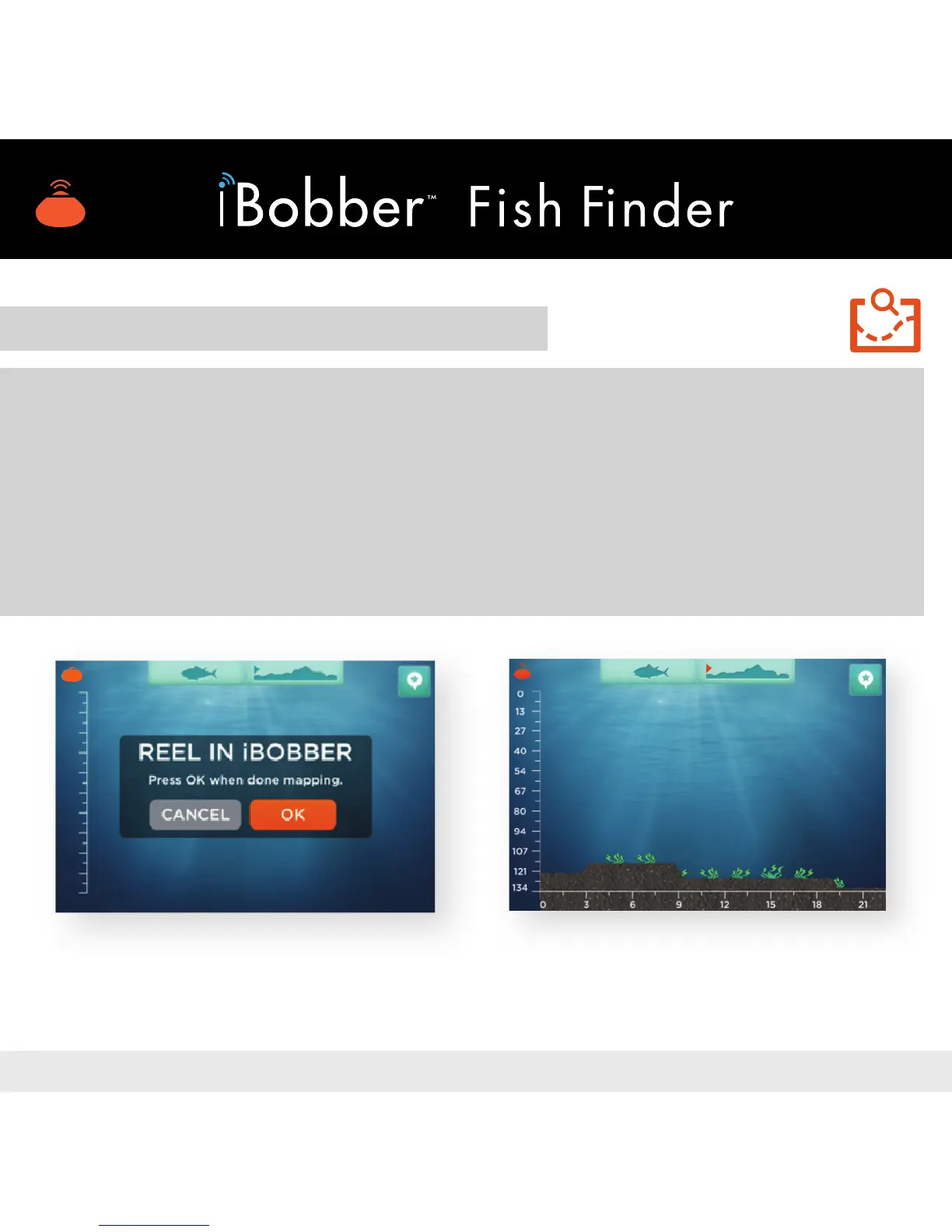
Once the count ends, the screen changes to REEL IN iBOBBER. Reel in the
iBobber, approximately 2ft/sec., slow and steady — you’re now mapping the
waterbed contour. When you’re done, tap OK (image 18).
A map of the waterbed contour will now appear with a depth gauge on the left,
and a distance measurement along the bottom (image 19).
Note: GPS Tag button in the upper right. Tap to log your GPS position, and send
it to the trip log.
Image 19Image 18


 To Next Page