EasyManua.ls Logo

Refco REFSCALE-S 4688867 - Buttons and Navigation

Default Icon
64 pages
Print Icon
To Next Page IconTo Next Page
To Previous Page IconTo Previous Page
Loading...
Instruction Manual
7
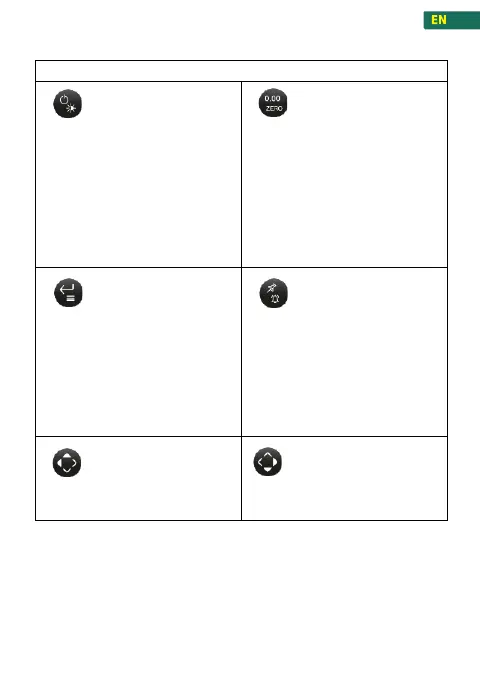
4.2 Buttons and navigation
operation
On/Off and Backlight
Button
Press for 2 seconds:
Device on
Press briefly
Backlight On/Off
Press long and hold:
Device off
Tara and Zero Button
Press briefly:
Tare
Press and hold:
Zero
Enter and Menu
Button
Press and hold:
Enter/exit the menu
Press briefly:
In menu mode: Enter /
confirm.
In work mode: save current
data.
Hold and Alarm Button
Press briefly:
Hold function / hold current
value
Press and hold
Alarm on / off
Navigation Button left
/ top
Navigate through the screens
and settings
Navigation Button right
/ bottom
Navigate through the screens
and settings

Related product manuals