-
8
-
Starting the reflecta x120
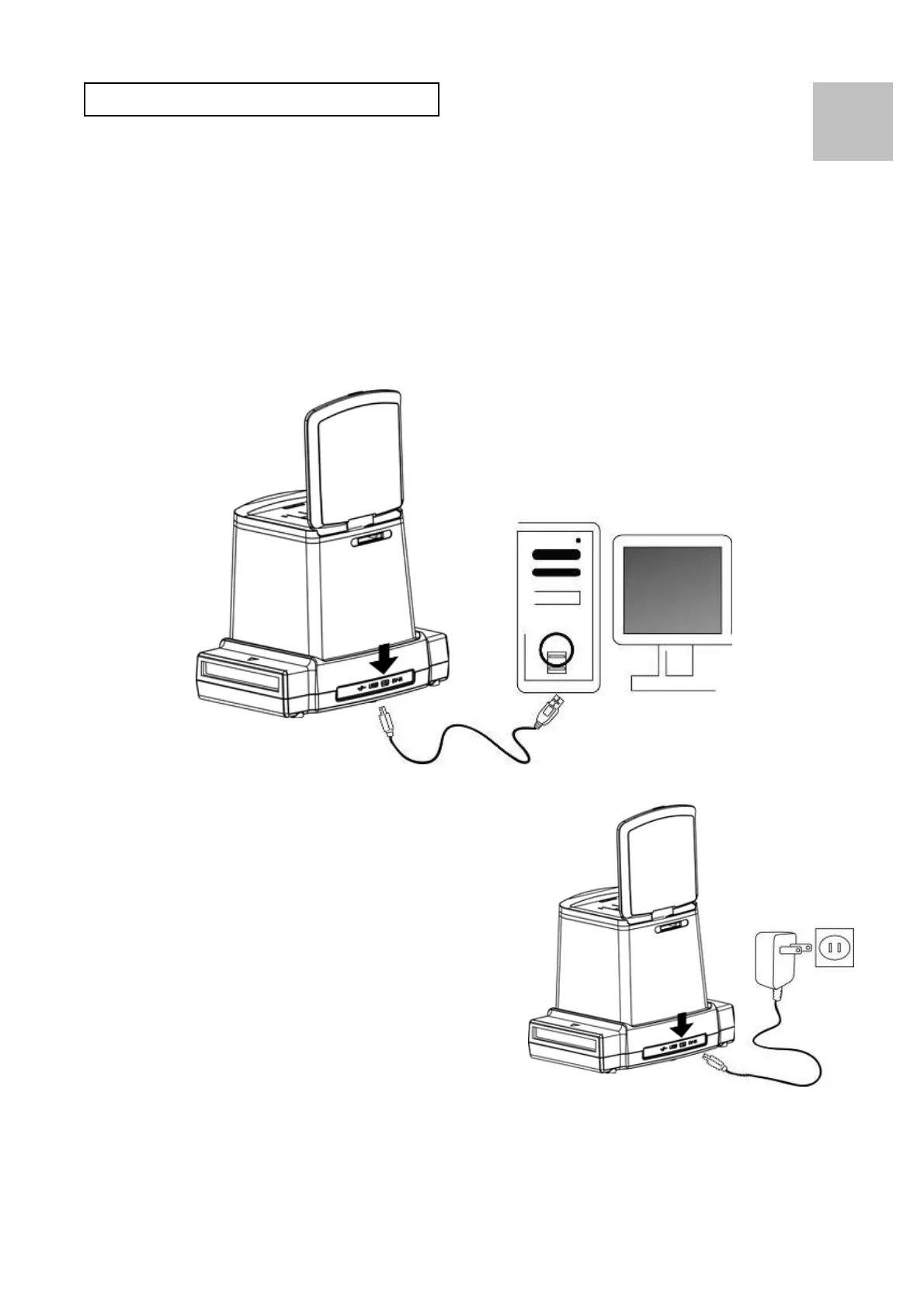
Connecting Electric Power to the Copier
(a) From Computer USB port:
Plug the USB mini B of the supplied USB cable to the
USB port of the copier, and plug the other USB end
into the USB port of your computer/notebook.
(b) From Power Adaptor:
Plug the USB mini B of the
supplied AC adaptor to the
USB port of the copier, and
plug the adaptor to the
power outlet.
EN















 To Next Page