Playback
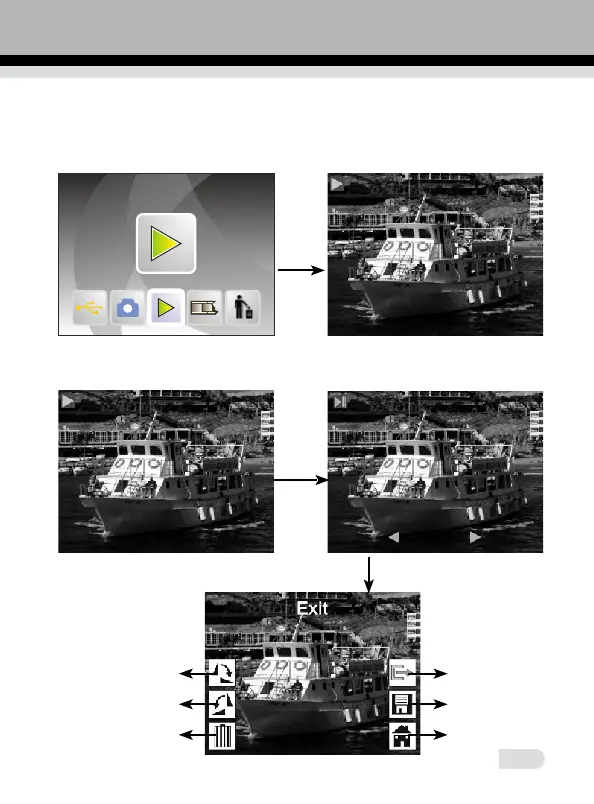
3.How to playback captured pictures
In main menu, press ◄ or ► until playback mode, press OK/ENTER to the
picture auto-playback mode, press again to stop auto playback and you can
view captured pictures manually, you can press ◄ or ► to view.
press OK/ENTER again enter picture editing mode, you can rotate, delete,
exit, save, and "home" back to main menu.
ENTER
ENTER
ENTER
1
2
3
4
5
6
13















 To Next Page